
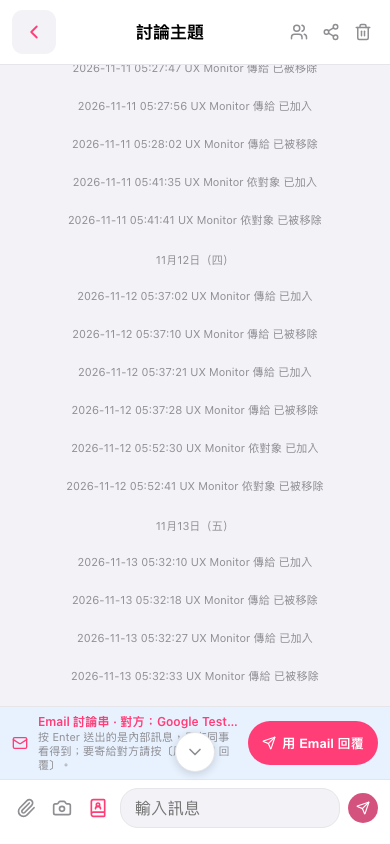
1. On the Discussion Topic page, scroll up or down to view the discussion history, or tap the downward arrow at the bottom center to move to newer messages. 2. Tap the Enter a message field at the bottom and enter your reply. 3. To attach a file, tap the attachment icon in the bottom-left corner. To add a photo, tap the camera icon. 4. Tap the send icon in the bottom-right corner to send the message. 5. To reply by email, tap Reply by Email.
 手機版|討論主題