
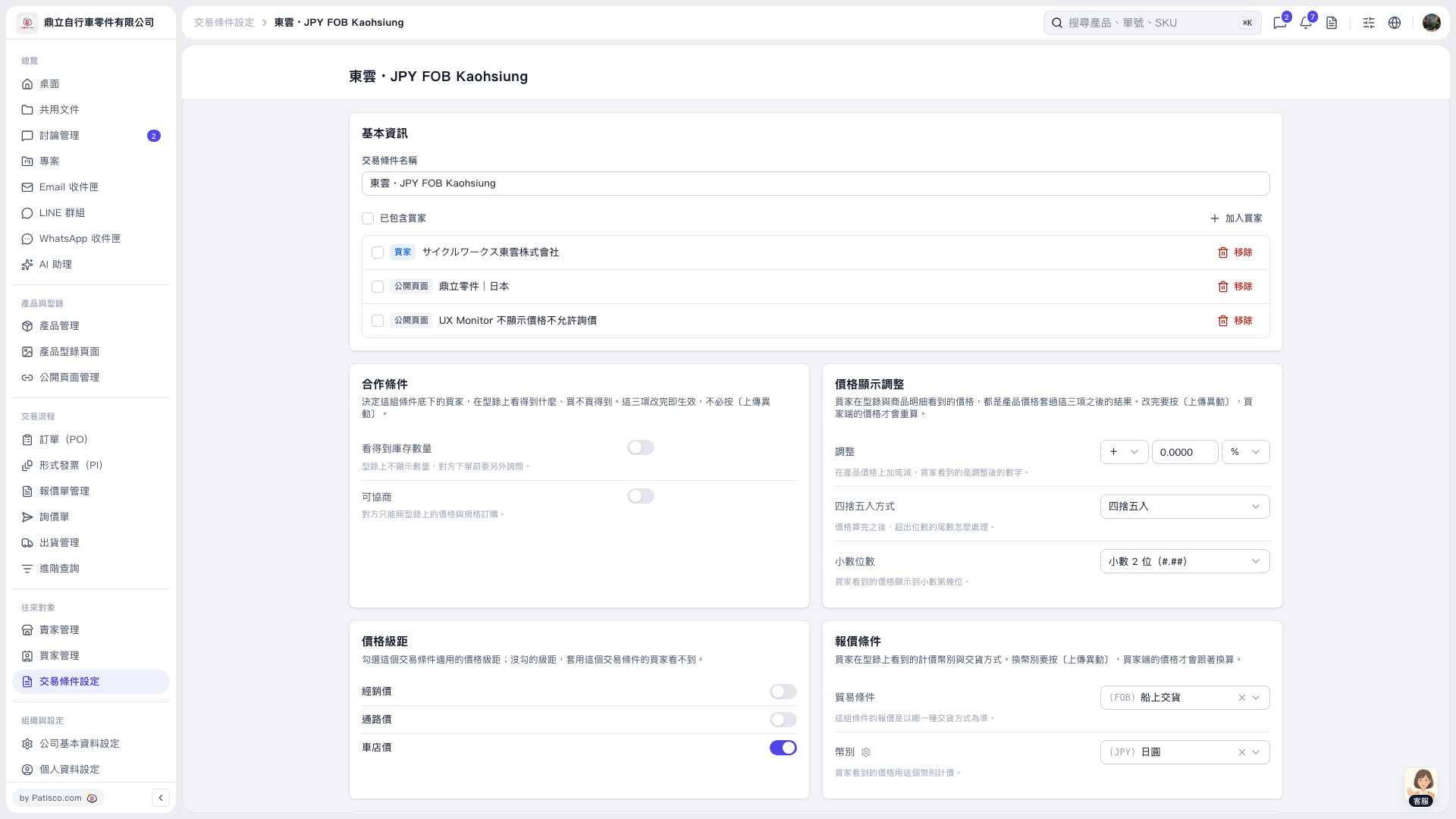
1. Click “Add Buyer” under “Basic Information” to add buyers to this set of trading conditions. 2. To remove a buyer you have added, click “Remove” on the right side of that buyer’s row. 3. Under “Cooperation Conditions,” toggle “Show Stock Quantity” to set whether buyers can see stock quantities in the catalog. 4. Toggle “Negotiable” to set whether buyers can negotiate prices and specifications.
 V5 新桌面版|東雲 · JPY FOB Kaohsiung