
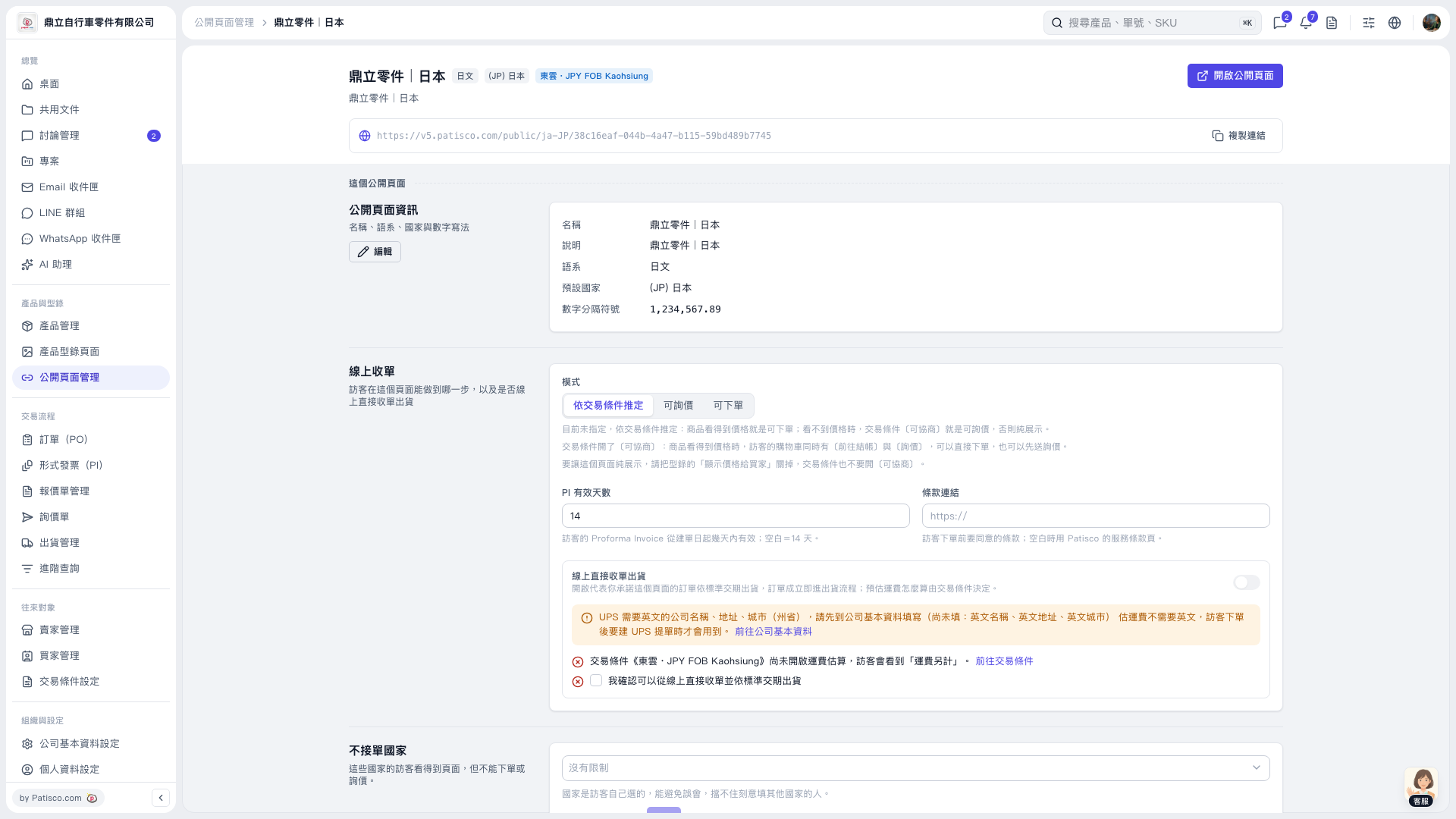
1. Click “Edit” and set the public page’s “Name,” “Description,” “Language,” “Default Country,” and “Number Separator.” 2. Under “Online Order Acceptance,” select “Based on Trading Conditions,” “Allow Inquiries,” or “Allow POs.” 3. Enter “PI Validity (Days)” and “Terms Link.” If you leave the terms link blank, the Patisco Terms of Service page will be used. 4. Set order acceptance restrictions under “Countries Not Accepted.” 5. Click “Open Public Page” in the upper-right corner to see what visitors will see. Then click “Copy Link” to the right of the public URL field and share the URL with buyers.
 V5 新桌面版|鼎立零件 | 日本