
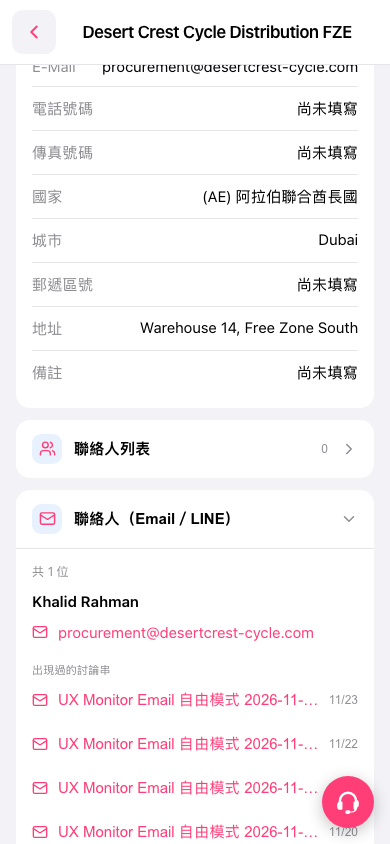
1. On the buyer details page, scroll down to the contacts area and tap Contact List to view contact information. 2. Tap Contacts (Email / LINE) to expand or collapse the associated information and view contact names and email addresses. You can also tap an email link. 3. Tap a title under Threads They Appeared In to view the related discussion. 4. When finished, tap the back arrow in the upper left to return to the previous page.
 手機版|Desert Crest Cycle Distribution FZE