
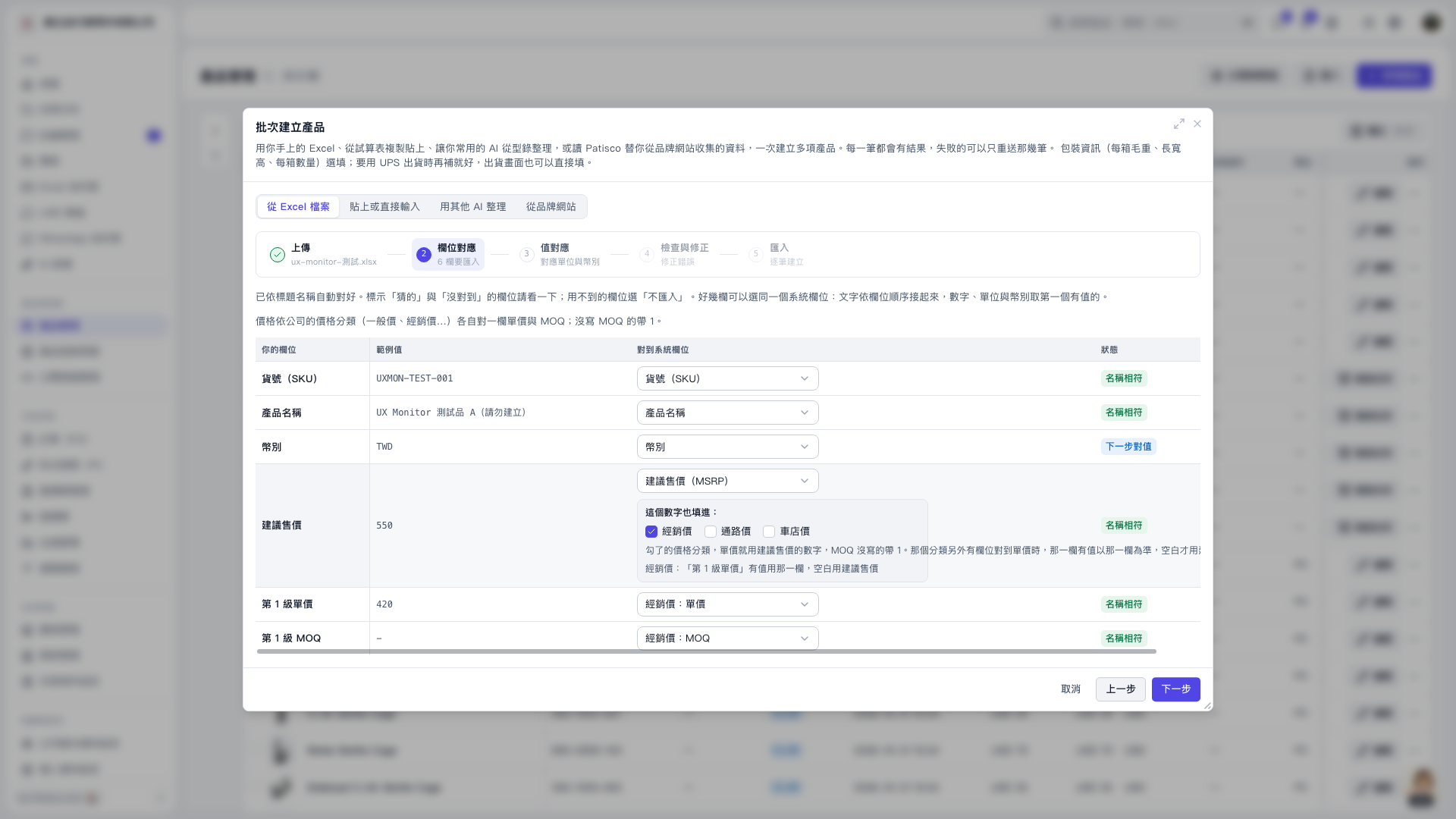
1. In the "From Excel file" flow of "Bulk create products", check "Your columns", "Sample values" and "Map to system field" row by row. Pay special attention to columns whose status is marked "Guessed" or "Not mapped"; select "Do not import" for columns you don't need. 2. Map the suggested retail price column to "Suggested retail price (MSRP)", then in "Also fill this number into", check the price categories to apply it to, such as "Distributor price", "Channel price" or "Specialty store price". 3. Check the unit price and MOQ mapping for each price category. If a separately mapped unit price column has a value, the system uses that column first; the suggested retail price is used only when it is blank. If MOQ is left blank, 1 is used. 4. Click "Next" to go to value mapping, and confirm the units and currency.
 V5 新桌面版|批次建立產品