
1. Open the quotation and first check the quotation number, buyer name, and currency. 2. Tap "Buyer Information", "Seller Information", "Quotation Information", or "Items" at the top, or scroll down to view each section. 3. To edit buyer, seller, or quotation information, tap "Edit" in the upper-right corner of the corresponding information card. 4. After checking the details, tap "Confirm" at the bottom. If the document has no account for the other party, this action records that you have confirmed the document.
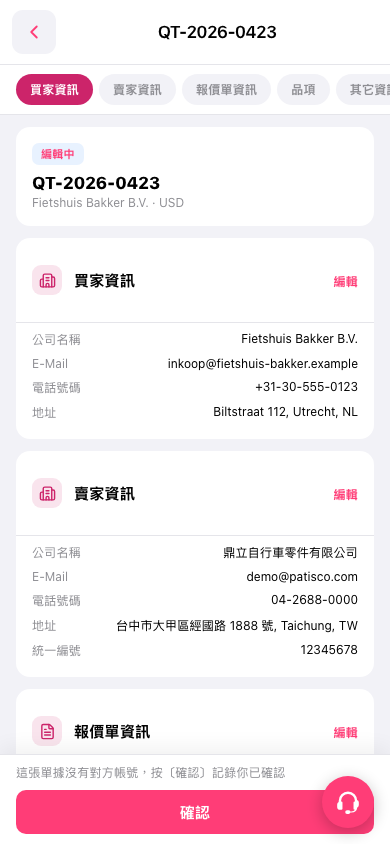 手機版|QT-2026-0423