
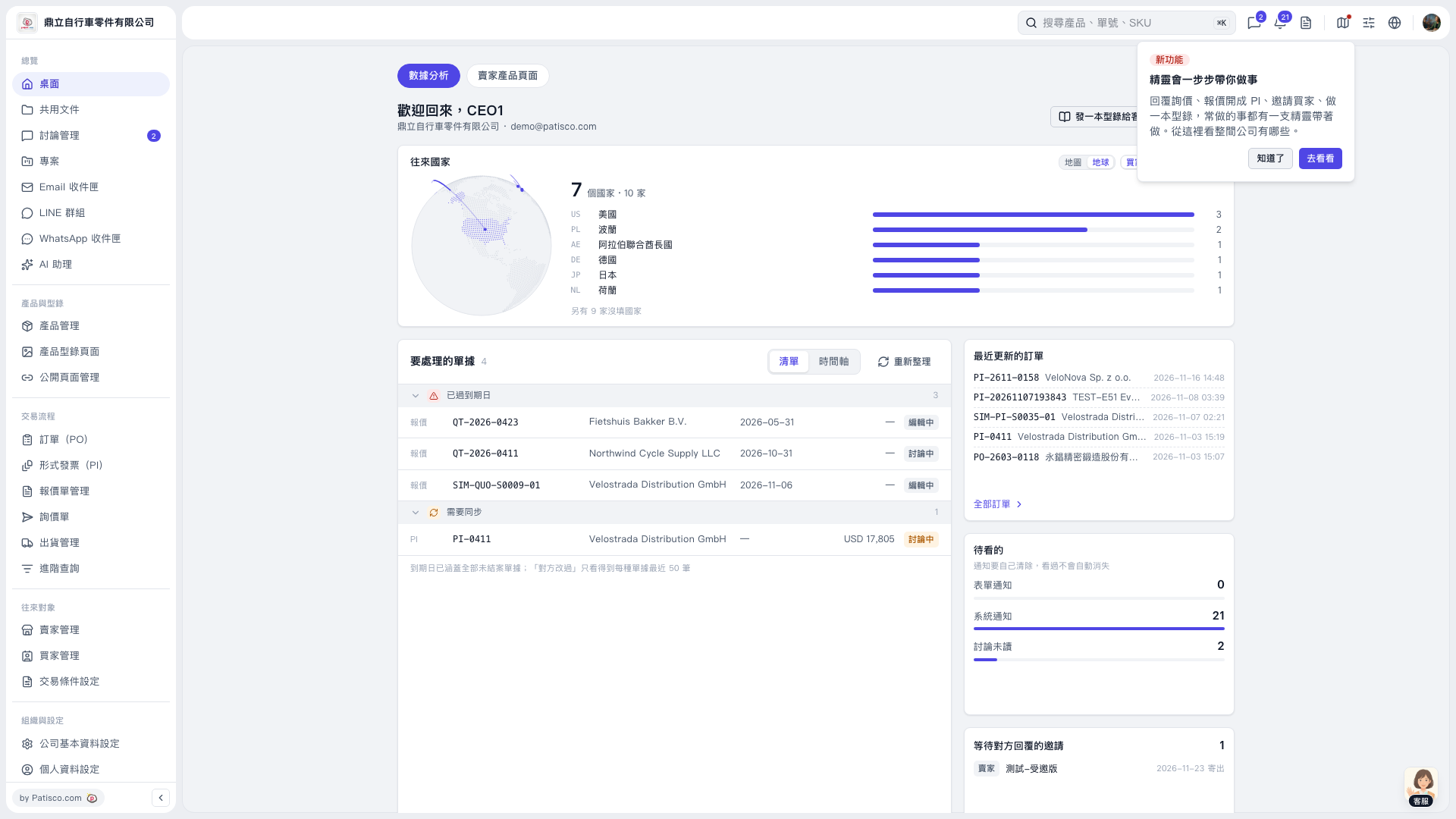
1. In the "Documents to Process" section on the "Desktop", check the documents under "Past Due" and "Sync Required". 2. Click the "Document Number" of the document you want to process to open it and view its contents. 3. After returning to the Desktop, click "Refresh" to get the latest data. You can also switch between "List" and "Timeline" views.
 V5 新桌面版|桌面