
1. In the passkey settings window, find “Log out other devices” below “Add Passkey”. 2. Select “Log out other devices”, read the confirmation message, and follow the prompts to confirm. This will log out sessions on other devices. If you select “Cancel” to close the confirmation dialog, no devices will be logged out. 3. When you are finished, select “Done” in the upper-right corner to close the settings window.
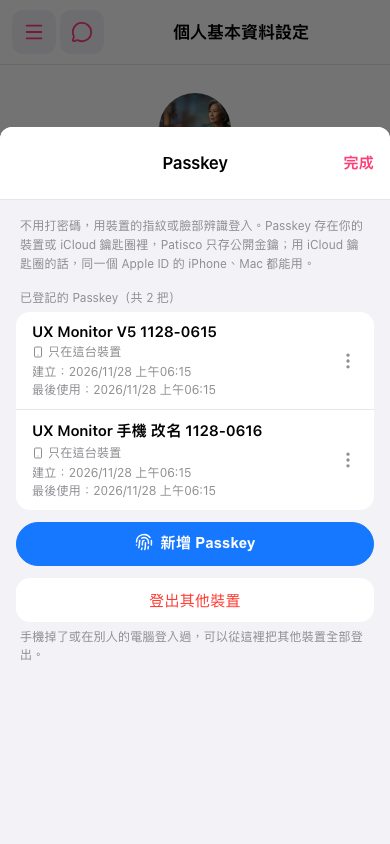 手機版|個人基本資料設定/Passkey