
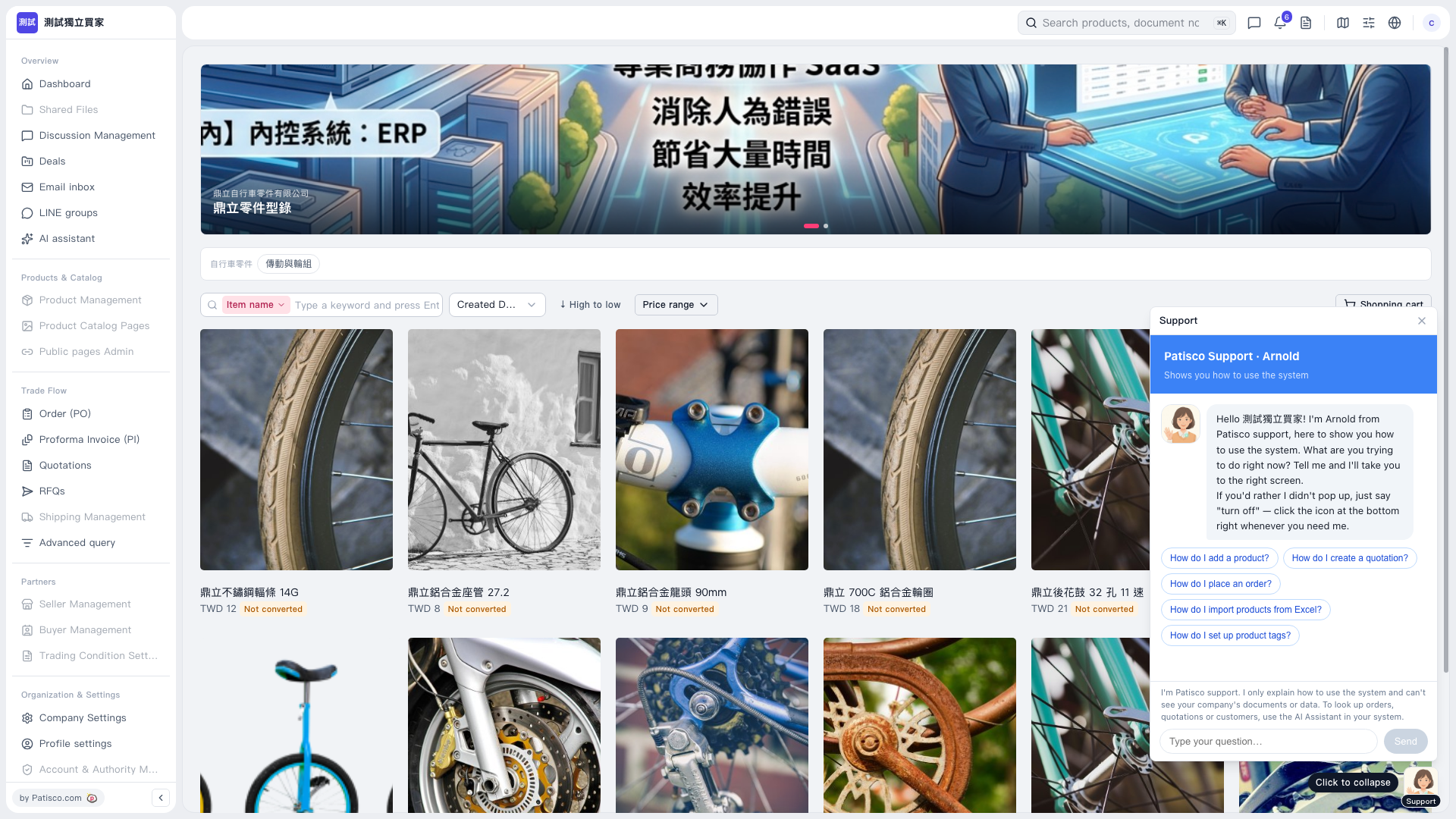
1. At the top left above the product list, make sure the search criterion is “Item name.” Enter a product name keyword and press Enter. 2. To filter by price, click “Price range” and set the price range. 3. To change the sort order, select a sort field from the dropdown to the right of the search bar, then use [↓ High to low] beside it to switch the sort direction. 4. To view the cart contents, click “Shopping cart” at the top right of the product list. If the Support window covers it, click [×] on the Support window to close it first. You can ask the AI assistant: “What drivetrain and wheelset products are available in this catalog?”
 V5 新桌面版|鼎立零件型錄