
1. Tap the hamburger menu icon in the top-left corner to open the side navigation menu. 2. In the menu, go to the "Shared Files" page. 3. Once there, you can check the number of files, folders, and categories in the stats bar. The list below shows each folder's name and item count (for example, 38 items), and the default folder carries a Default tag.
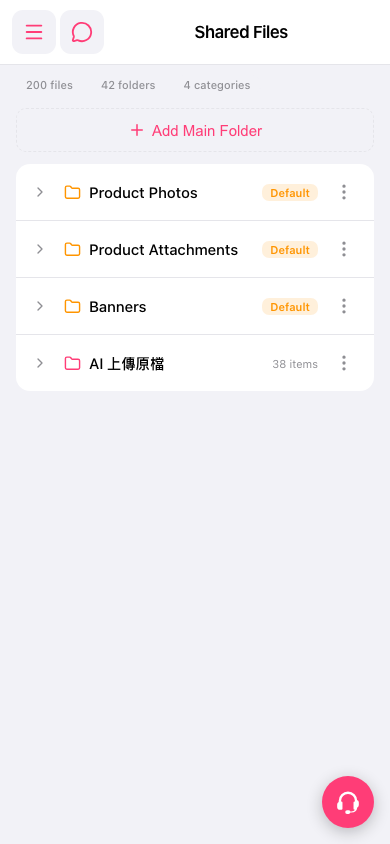 手機版|Shared Files