
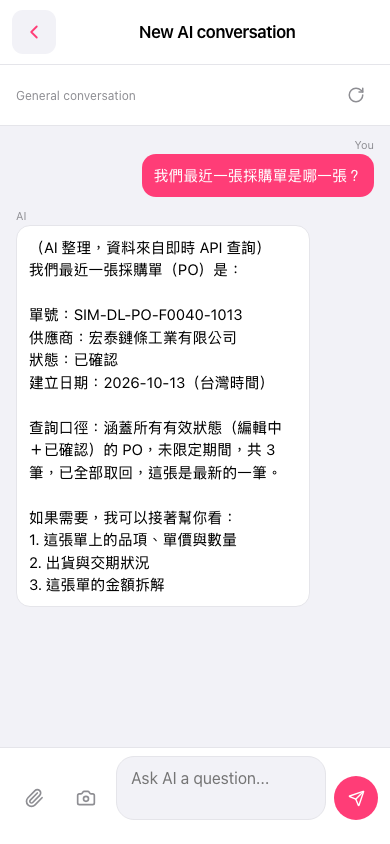
1. Open the mobile app and go to the AI conversation page (General conversation; the page title is "New AI conversation"). 2. Tap the "Ask AI a question..." box at the bottom and type your question, for example "Which is our most recent PO?" 3. If you need to attach data, tap the paperclip icon on the left of the input box to upload a file, or tap the camera icon to take a photo or choose one. 4. Tap the pink send (paper plane) button at the bottom-right to send. 5. Wait for the AI's reply, then check the PO number, seller, status, and creation date in it.
You can ask: "Which is our most recent PO?" The AI will reply like this: "Our most recent PO is: number SIM-DL-PO-F0040-1013, seller 宏泰鏈條工業有限公司, status Confirmed, created 2026-10-13 (Taiwan time)." The reply also explains that the data comes from a live API query covering POs that are being edited and confirmed, 3 in total, and that this one is the latest.
 手機版|New AI conversation