
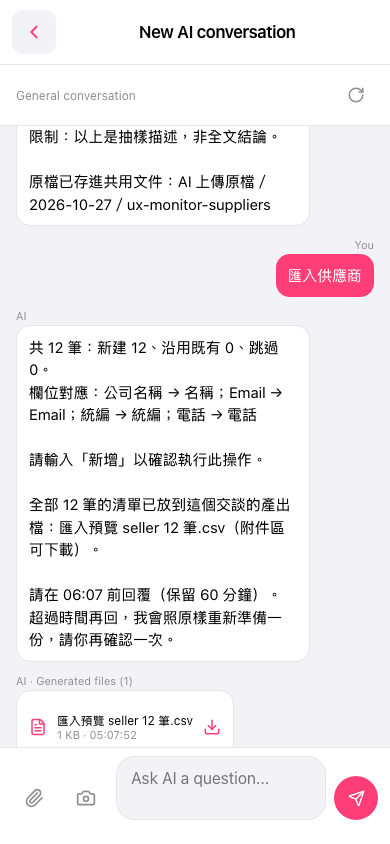
1. On mobile, open the AI conversation page (page title "New AI conversation"). 2. In the "Ask AI a question..." input box at the bottom, type "匯入供應商" (import suppliers), or tap the paperclip icon at the bottom left to upload a supplier file (the camera icon is for uploading a photo). 3. Tap send (paper plane) at the bottom right and wait for the AI to reply with an import preview. 4. The preview lists the number of records and the column mapping. After confirming it is correct, within the time limit (60 minutes), type "新增" (add) in the input box and send it. The import is only actually executed then.
You can ask: "匯入供應商" (import suppliers), with a 12-row csv attached. The AI replies like this: "匯入供應商 AI total 12 records: 12 new, 0 existing reused, 0 skipped. Column mapping: 公司名稱 → 名稱; Email → Email; 統編 → 統編; 電話 → 電話. Please enter "新增" to confirm this operation."
 手機版|New AI conversation