
1. Open the Discussions page on mobile (URL: /main/topic). 2. Make sure the "Discussion" tab below the title is selected. To find AI conversations, tap the "AI Discussion" tab instead. 3. Enter a keyword in the "Search topic" field below the tabs. 4. Tap the discussion you want in the list to open the conversation, view it, and reply to messages. Each row in the list shows the discussion title, a preview of the last message (sender: content), and the time of the last message. A red number badge indicates unread messages.
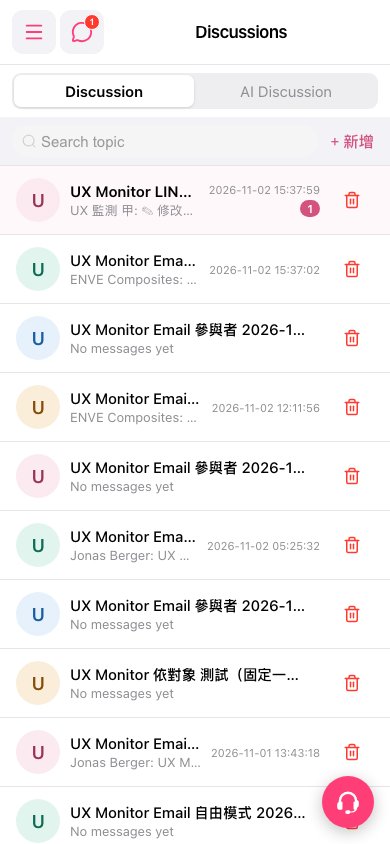 手機版|Discussions