
1. To see line items or amounts: Keep asking in the "Ask AI a question..." input box at the bottom, then tap the paper plane button to send. The AI will continue looking it up. 2. To start a new topic: Tap the refresh icon on the right side of the "General conversation" row to reset the current conversation, then ask again. 3. To go back to the previous page: Tap "<" at the top left.
You can ask: "What are the line items and amounts of this PO?" The AI will reply: The AI will look up that PO again and summarize the line items and amounts for you (in its previous reply it also mentioned it could look further).
Tip: The creation time in the AI's reply is in Taipei time, converted from the system's UTC time (for example, UTC 2026-10-12 18:14 is shown as Taipei 2026-10-13 02:14).
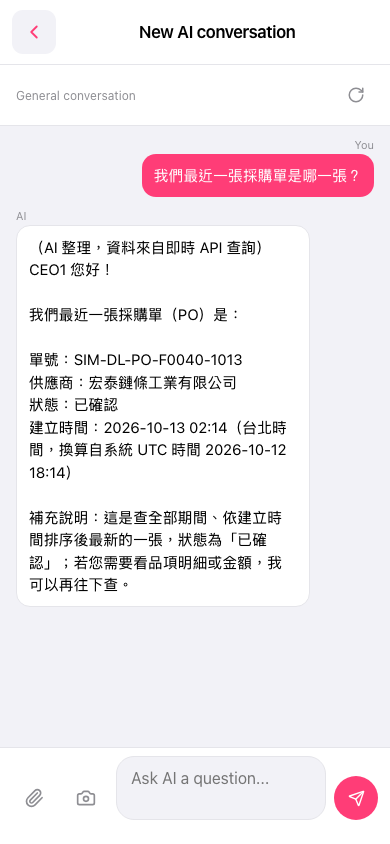 手機版|New AI conversation