
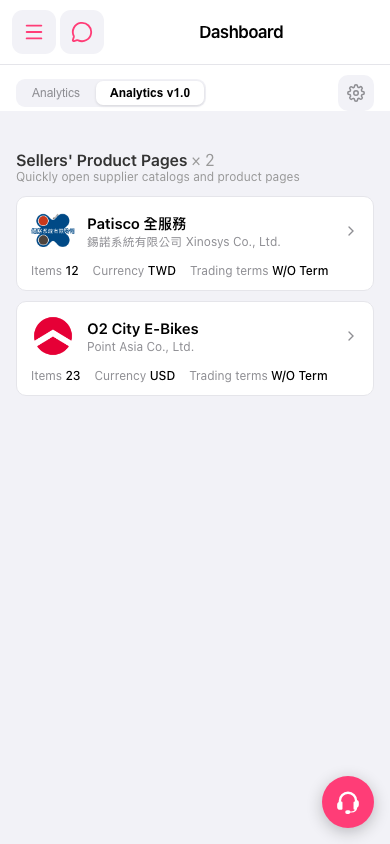
1. After logging in, go to the mobile Dashboard page (https://mobile.patisco.com/main/dashBoard). 2. To switch the analytics version, tap the "Analytics" or "Analytics v1.0" tab below the title. Analytics v1.0 is currently selected. 3. Scroll down in the "Sellers' Product Pages" section. Each seller card shows Items (number of products), Currency, and Trading terms. 4. To adjust the Dashboard, tap the gear icon at the right end of the tab bar to open settings.
You can also ask the AI assistant: "How many seller catalogs are on the Dashboard?" The AI replies: "seller catalogs on dashboard: 2", meaning there are currently 2 seller cards in the list (Patisco 全服務 and O2 City E-Bikes).
 手機版|Dashboard