
1. Add a main folder: Tap the dashed "Add Main Folder" button at the top center of the screen, then enter a folder name. 2. Browse contents: Tap the arrow (>) to the left of a folder in the list to expand it and view its subfolders and files. 3. Manage an existing folder: Tap the "⋮" more options icon to the right of the folder to open the action menu (for example, rename or delete), then choose the action you need.
Note: This automated test confirmed that the "Add Main Folder" button displays correctly (add-folder button=true). No problem was found in this step.
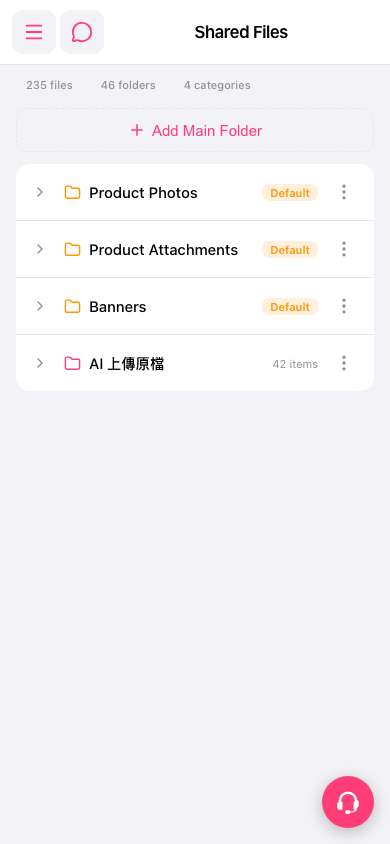 手機版|Shared Files