
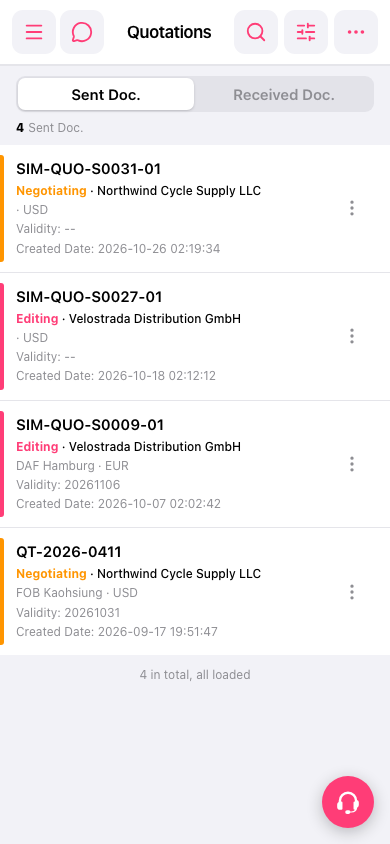
1. On mobile, go to the Quotations page at https://mobile.patisco.com/main/quo. You can also expand the side navigation from the hamburger menu at the top left and go from there. 2. The page shows the "Sent Doc." tab by default, listing the quotations you've sent. 3. To see quotations sent to you by others, tap the "Received Doc." tab below the title. 4. Each row in the list shows the quotation number, status (Negotiating / Editing), customer name, trading terms, currency, Validity, and Created Date. 5. Scroll to the bottom of the list. When you see "4 in total, all loaded", all the data has been loaded.
 手機版|Quotations(報價單)