
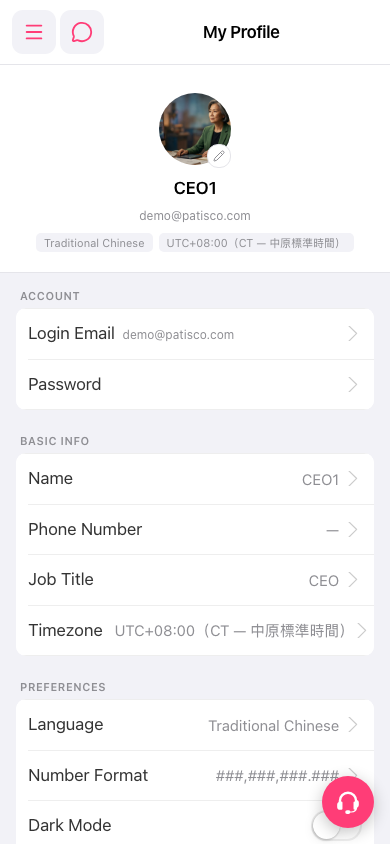
Change your avatar: 1. Open the My Profile page. 2. Tap the pencil icon at the bottom right of the avatar. 3. Upload a new image.
Adjust interface preferences (PREFERENCES section): 1. Tap Language to switch the interface language, or tap Number Format to set how numbers are displayed. 2. To turn dark mode on or off, use the Dark Mode switch at the bottom of the section. 3. When you are done, go back to My Profile and check that the displayed values have been updated.
To change your login email or password, go to the ACCOUNT section and tap the Login Email or Password row respectively.
 手機版|My Profile