
1. Open the "Shared Files" page. 2. Tap the dashed-outline "Add Main Folder" button at the top center of the page. 3. Follow the on-screen instructions to enter a folder name and confirm. 4. To manage an existing folder, tap the "⋮" more menu at the far right of its row, then choose the action you need. The "⋮" menu may include options such as rename, delete, and add subfolder, but we did not expand it during this test, so please go by what is shown on your phone. 5. If you run into a problem, tap the support icon at the bottom right for help.
The test confirmed that the "Add Main Folder" button appears on the page.
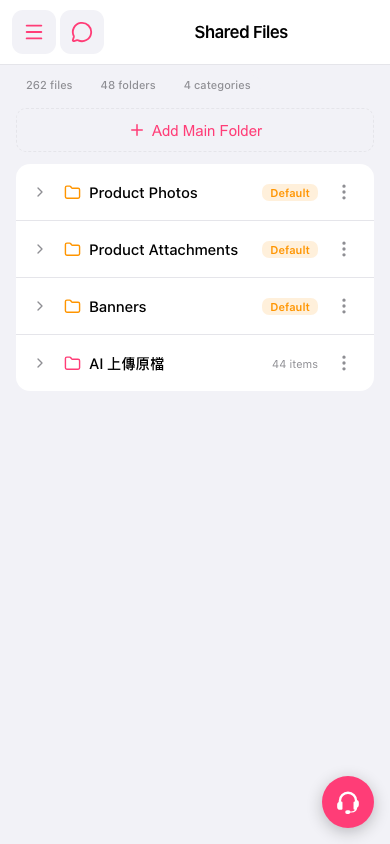 手機版|Shared Files