
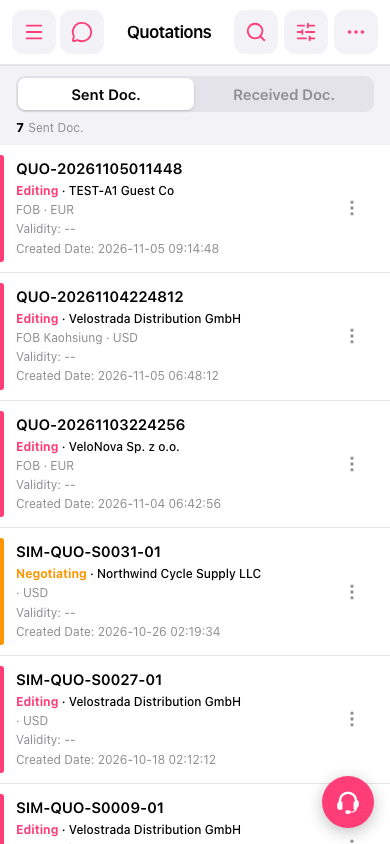
1. Search: Tap the "search icon" in the upper right and enter the quotation number or customer name. 2. Filter: Tap the "filter icon" to the right of the search icon and narrow down the list by condition. 3. Check progress: Use the color bar on the left of each row and the status text (Editing, Negotiating) to tell the current progress of the quotation. 4. View details: Tap the quotation directly. 5. Other actions: Tap the "⋮" (three-dot menu) at the far right of the row, then choose the function you need. 6. If you need help, tap the floating "customer support icon" in the lower right to contact customer support.
 手機版|Quotations