
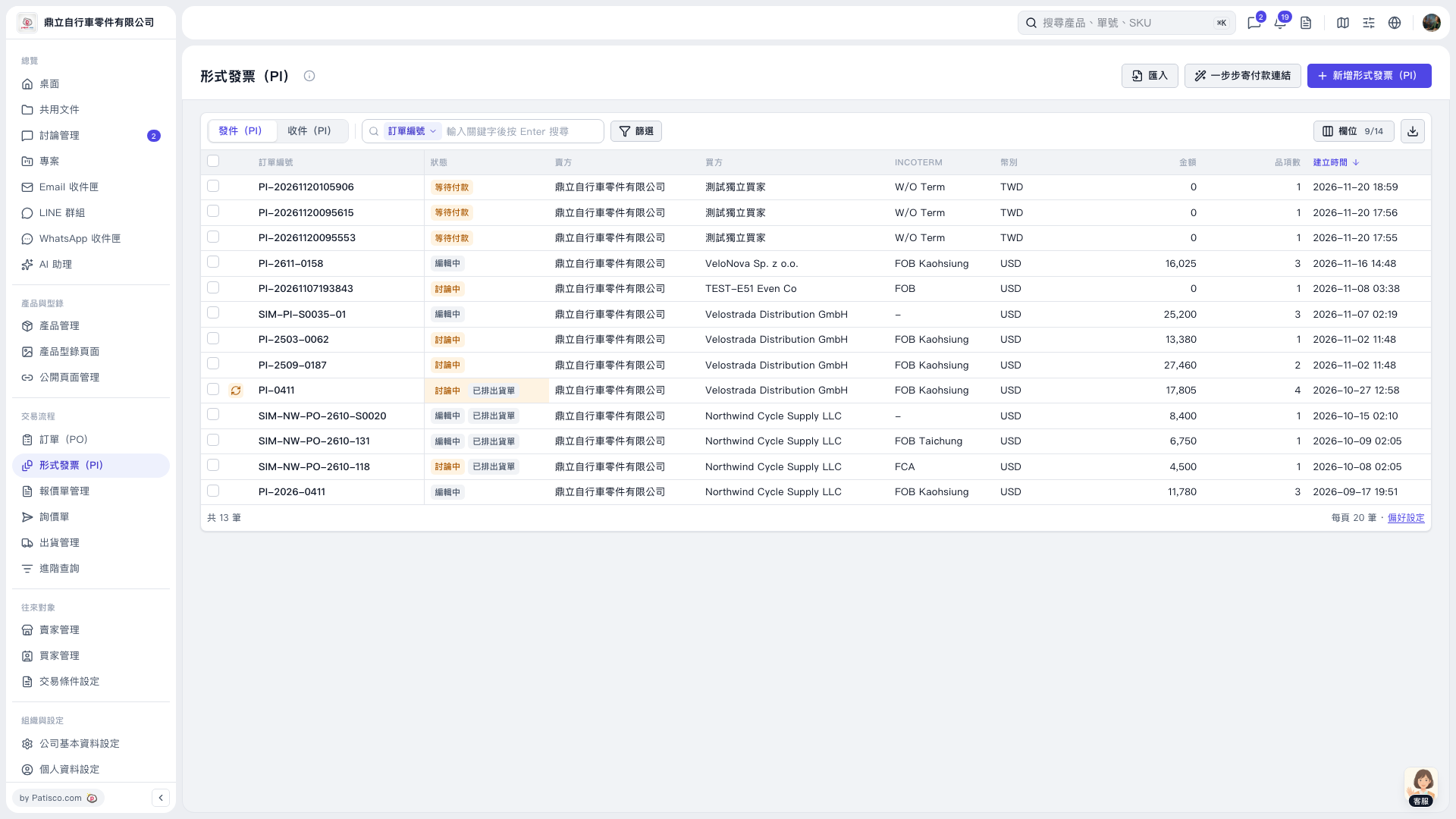
1. In the left sidebar, click "Proforma Invoice (PI)" under "Trade Flow". 2. Make sure you are on the "Sent (PI)" tab. To see invoices you have received, switch to "Received (PI)". 3. In the search box above the list, select a search field (for example, order number), type a keyword, and press Enter. 4. You can also click [Filter] on the right of the search box to narrow down the results. 5. When you find it, click the order number in that row to view or edit the Proforma Invoice and track its status (for example, Editing, In discussion, Awaiting payment). Tip: "Columns" at the top right of the list lets you choose which columns to show, such as order number, status, seller, buyer, INCOTERM, currency, amount, number of items, and creation time.
 V5 新桌面版|形式發票(PI)