
1. Enter your import request in the “Ask AI a question...” input field, then tap the send icon in the bottom-right corner. For example: “Import suppliers (12-row CSV).” 2. Review the record counts and field mappings in the AI's response. AI will reply: “12 records in total: 12 to create, 0 existing records to reuse, and 0 to skip. Enter ‘新增’ to confirm this operation.” The field mappings for this import are: Company Name → Name, Email → Email, Tax ID → Tax ID, Phone → Phone. 3. Below the conversation, find “匯入預覽 seller 12 筆.csv” and tap the download icon on the right side of the attachment card to download and check all 12 records. 4. After checking the data, enter “新增” in the input field at the bottom before the deadline specified by AI, then tap the send icon in the bottom-right corner. The deadline for this operation is 06:07. If the deadline passes, AI will prepare the same data again; follow the instructions to confirm again.
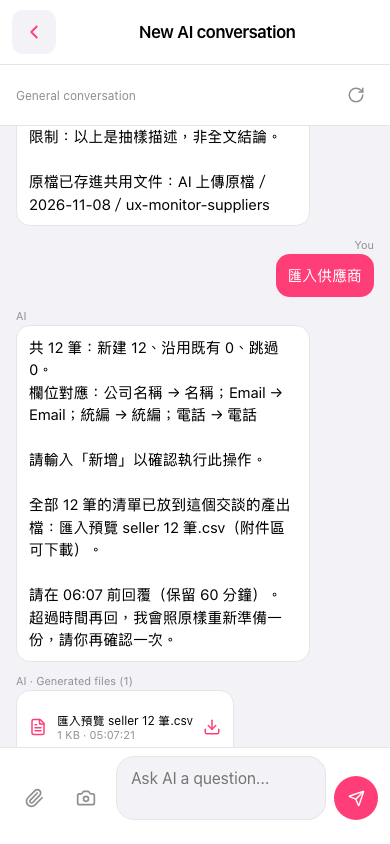 手機版|New AI conversation