
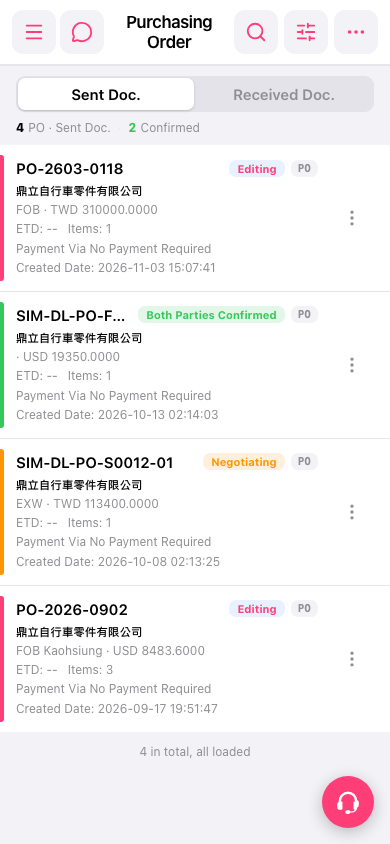
1. On the "PO" page, tap "Sent Doc." at the top to view sent documents, or tap "Received Doc." to view received documents. 2. Find the PO in the list. You can also tap "Search" (magnifying glass icon) in the upper right to search, or tap "Filter" (sliders icon) to set filter criteria. 3. Tap the PO card to view its contents.
 手機版|採購訂單(Purchasing Order)