
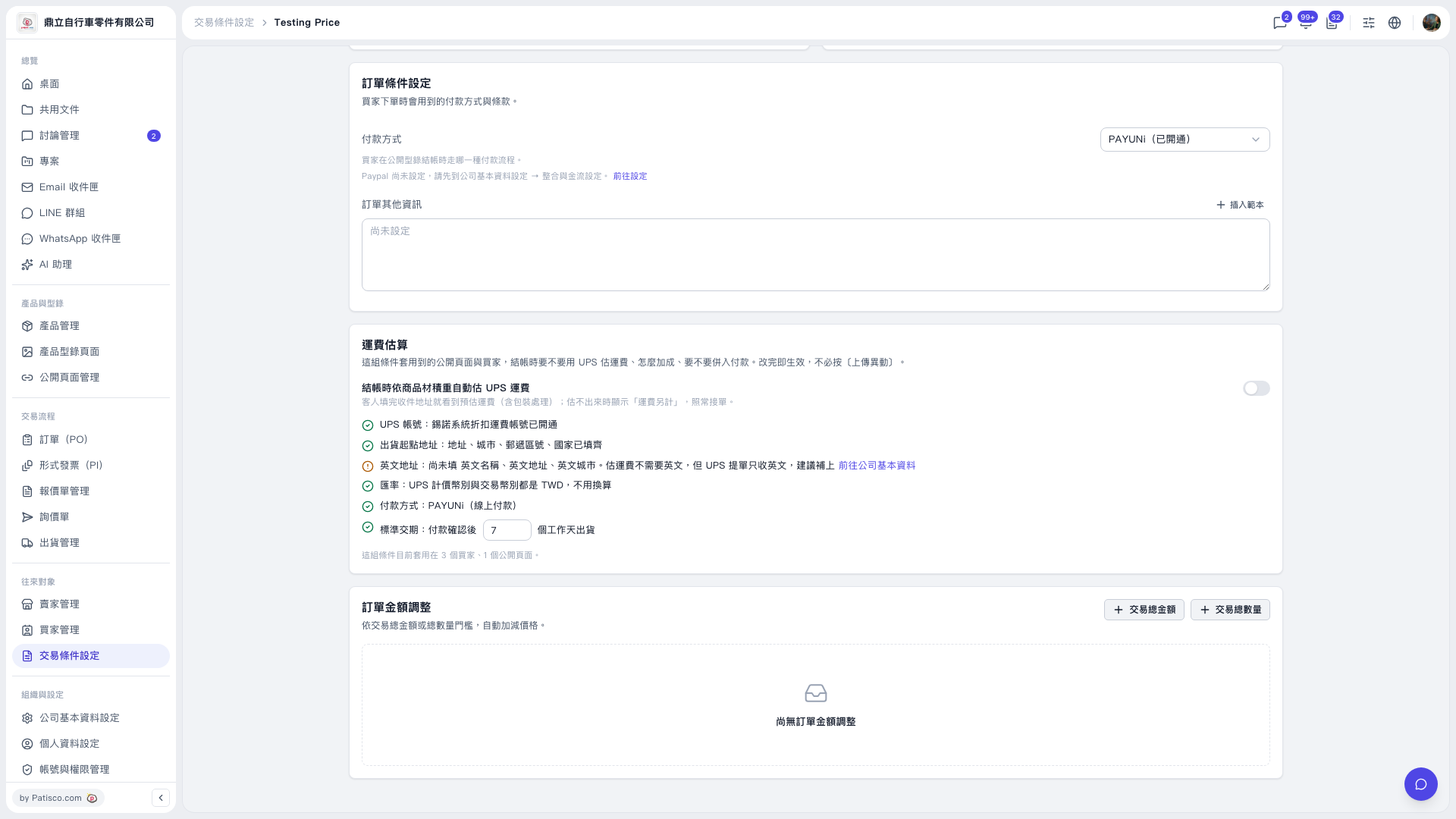
1. Under “Trading Condition Setting” on the “Testing Price” trading conditions page, confirm that the payment method is “PAYUNi (Activated).” 2. Under “Shipping Cost Estimate,” check the UPS account, shipping origin address, and exchange rate status. The English name, English address, and English city are currently missing. Click “Go to Basic Company Information” to complete them, then return to this page. 3. In “Standard Lead Time,” enter the number of business days from payment confirmation to shipment. It is currently set to 7 days. 4. Enable “Automatically Estimate UPS Shipping Costs at Checkout Based on Product Volumetric Weight.” After buyers enter their delivery address, they can see the estimated shipping cost, including packaging and handling. If an estimate cannot be calculated, “Shipping Charged Separately” appears.
 V5 新桌面版|Testing Price