
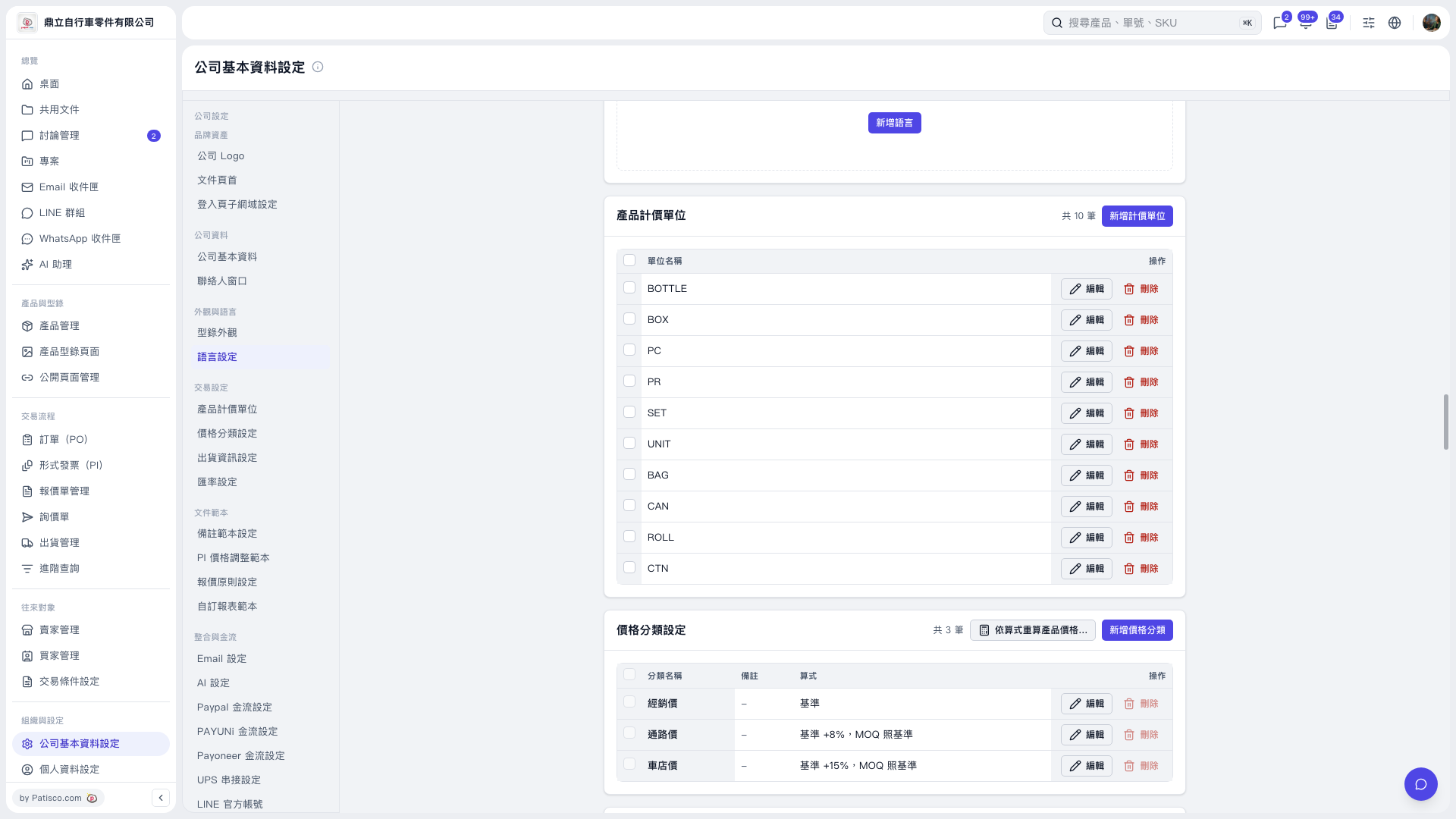
1. On the “Company Basic Information Settings” page, find “Price Category Settings” and check the “Formula” for each category first. 2. To adjust a formula, click “Edit” on the right of that category. 3. Click “Recalculate product prices using formulas…” in the upper-right corner of the section to enter the recalculation process, then follow the instructions on the subsequent screens. The current screen does not yet show the recalculation settings or confirmation screen. 4. You can ask: “Which price categories in the demo can currently be recalculated using formulas?” The AI will reply: “You can use Distributor Price as the base to recalculate Channel Price and Bike Shop Price, adding 8% and 15%, respectively, rounded to 2 decimal places, with MOQ set to the same as the base.”
 V5 新桌面版|公司基本資料設定