
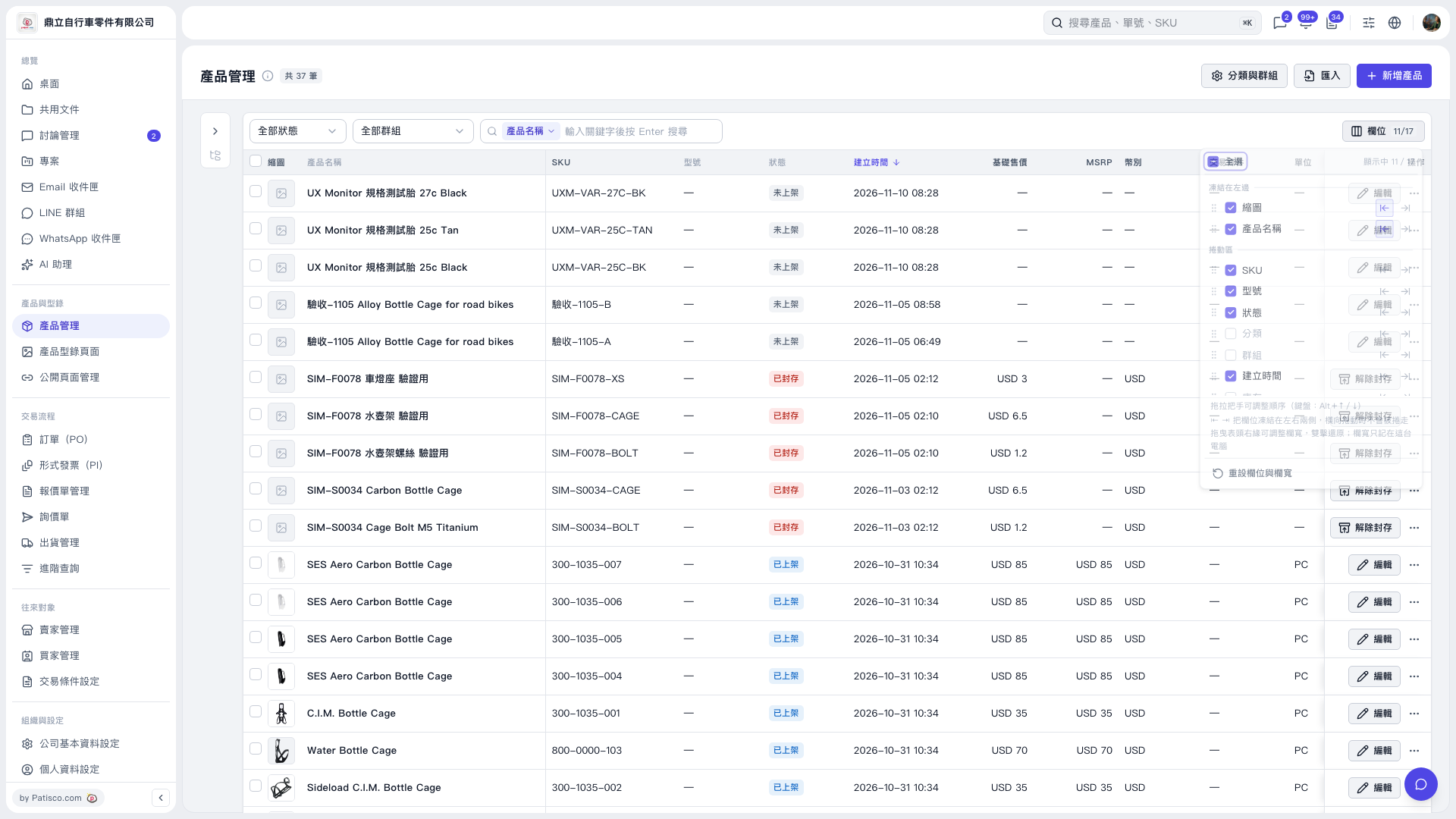
1. Click “Columns 11/17” at the upper right of the Product Management list to open the column settings. 2. Select the columns you want to display and clear the ones you do not need. You can also click “Select all” to select all available columns at once. 3. Drag the handle next to a column to change its order. Use the arrows to move columns into or out of the frozen area on the left. 4. To restore the default layout, click “Reset columns and widths.”
 V5 新桌面版|產品管理