
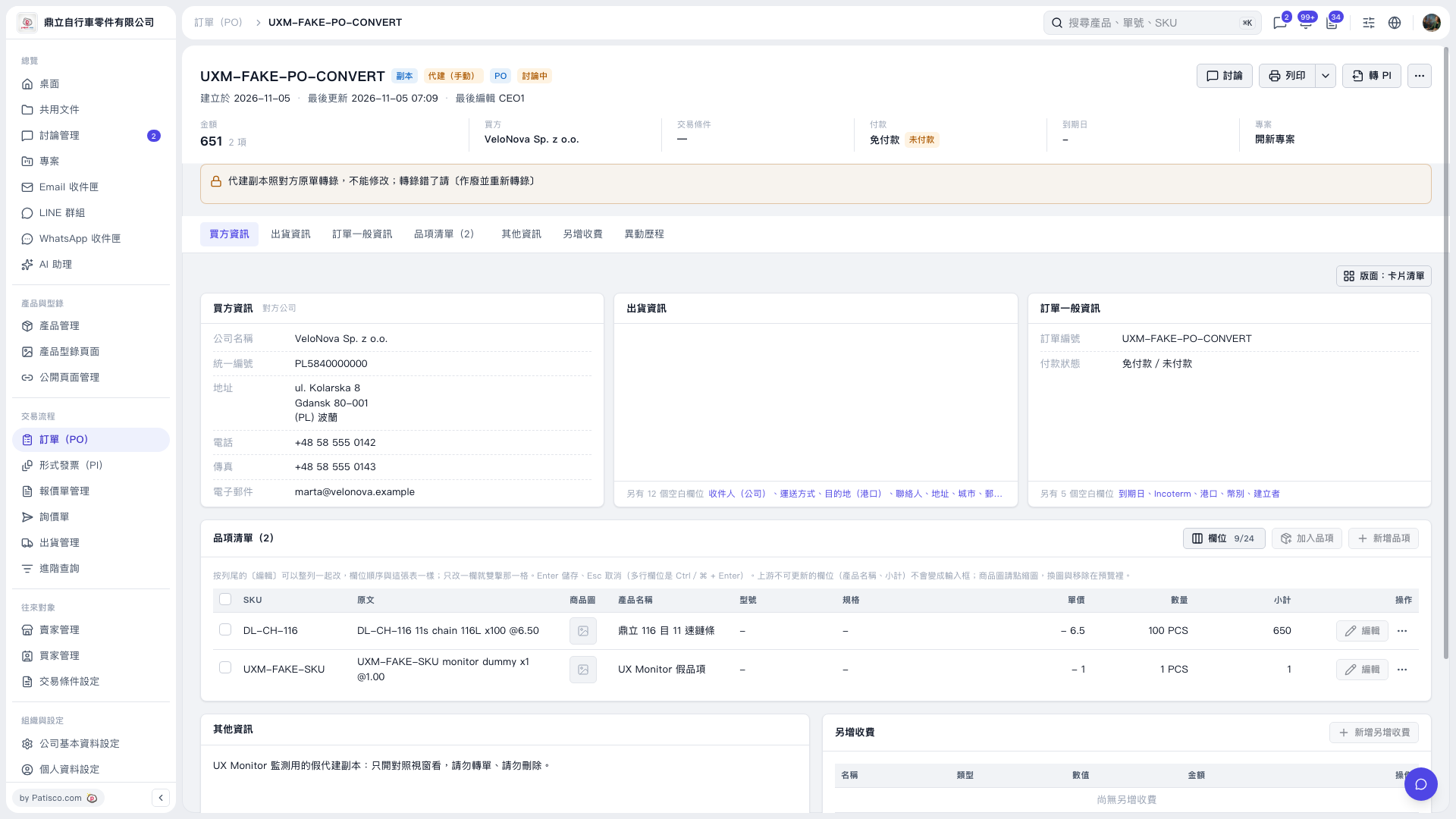
1. Open the PO you want to convert, and first check the PO number, buyer, amount, and payment status. 2. For a regular PO, click “Convert to PI” in the upper-right corner to start the process. The current screen does not show the subsequent dialog, so the fields and submission steps cannot be confirmed. 3. This record, “UXM–FAKE–PO–CONVERT,” is a copy created on behalf of another party and cannot be modified. Its notes state that it must not be converted or deleted and is for viewing only. Do not use this record to convert to a PI.
 V5 新桌面版|UXM–FAKE–PO–CONVERT