
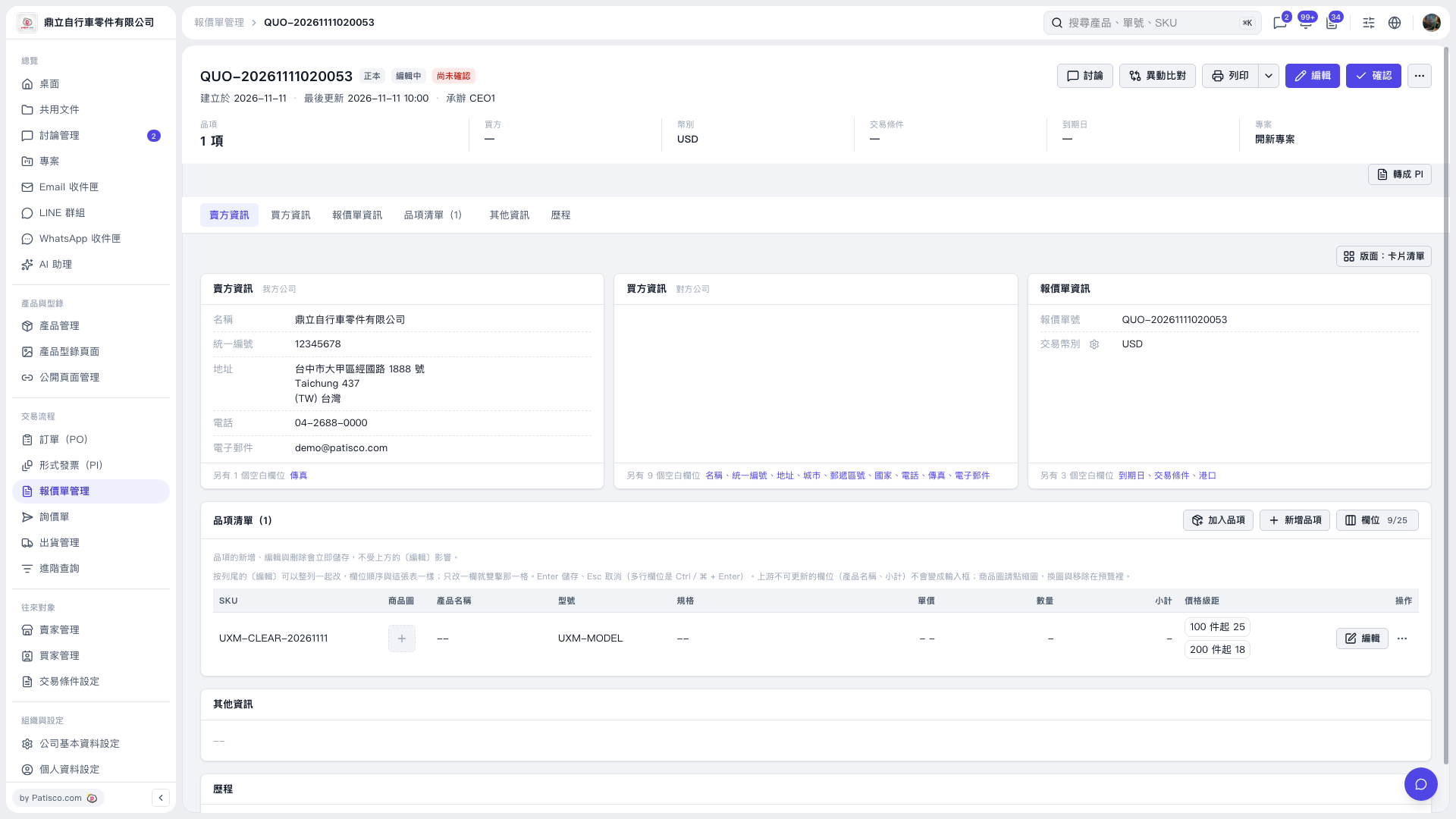
1. Check the item's "Price Tiers" in the quotation's "Item List (1)". To adjust the item information, click "Edit" on the right side of that row. 2. After making adjustments, check "Price Tiers", "Quantity", and "Unit Price" separately. In this example, after the price tiers were updated to "25 for 100 units or more" and "18 for 200 units or more", the previously blank quantity and unit price remained blank and were not filled in automatically. 3. To enter a quantity and unit price, edit the corresponding fields separately. For table fields that support direct editing, enter the value and press Enter to save.
 V5 新桌面版|QUO-20261111020053