
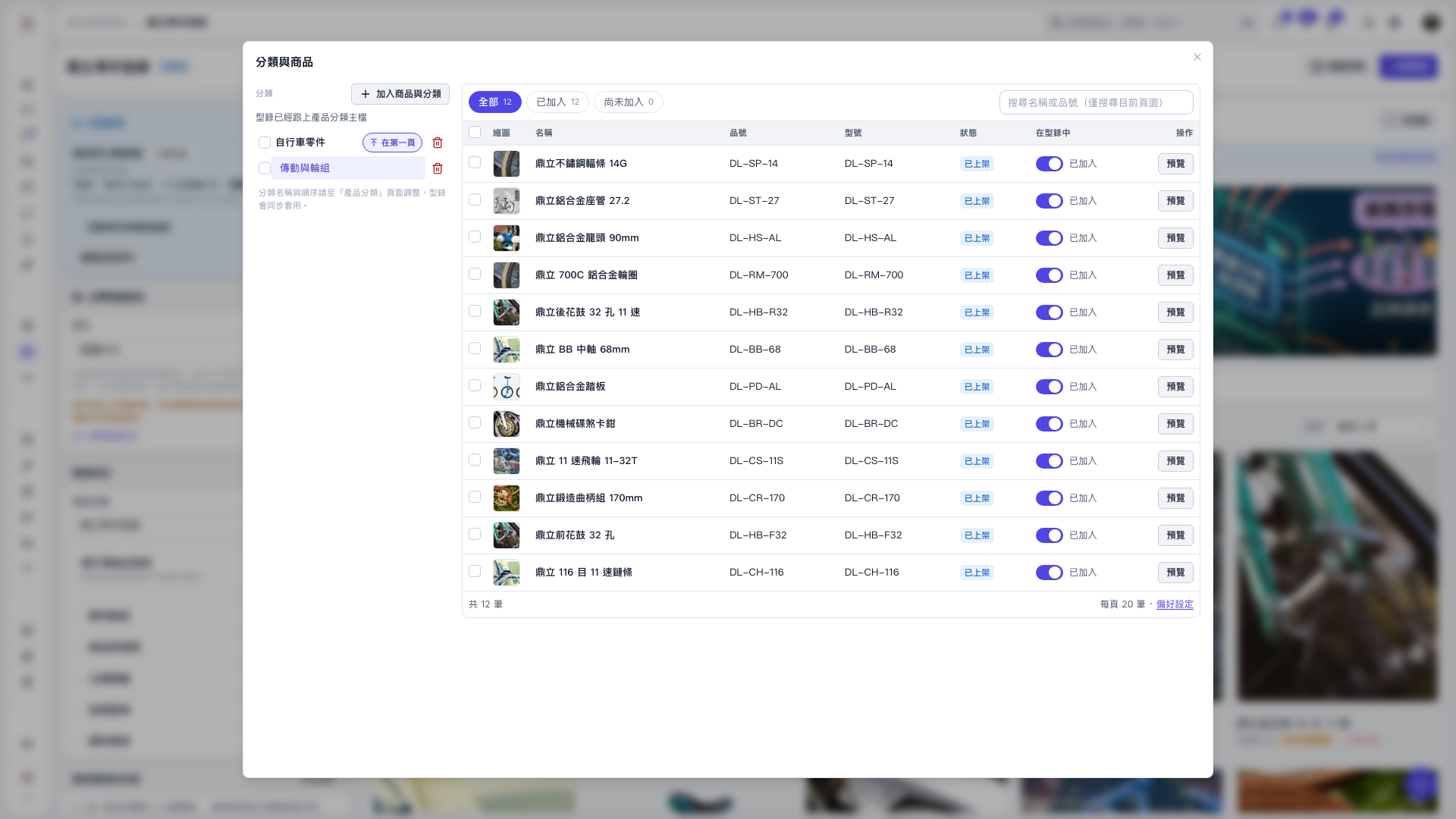
1. On the left side of the "Categories and Products" window, click the category you want to check, such as "Drivetrain and Wheels". 2. Click "All", "Added", or "Not Added" to filter the products. You can also use "Search by name or item number (current page only)" to find products. 3. Check or change the "In Catalog" toggle on the right side of each product to control whether it is included in the catalog. The current display, "All 12 / Added 12 / Not Added 0", means all 12 products have been added. 4. To check a product's details, click "Preview" in its row. When finished, click "×" in the upper-right corner to close the window.
 V5 新桌面版|分類與商品