
1. Select "Desktop" on the left and confirm that "Data Analytics" is selected at the top. 2. Find the "Who Is Viewing Your Catalogs" section below. 3. Click "7 Days", "30 Days", or "90 Days" to change the reporting period. 4. Under each catalog, find the rows labeled "Public Link" to view browsing records for the public pages. 5. Check "Views", "Products Viewed", "Browsing Time", and "Cart Status" to understand visitor browsing activity.
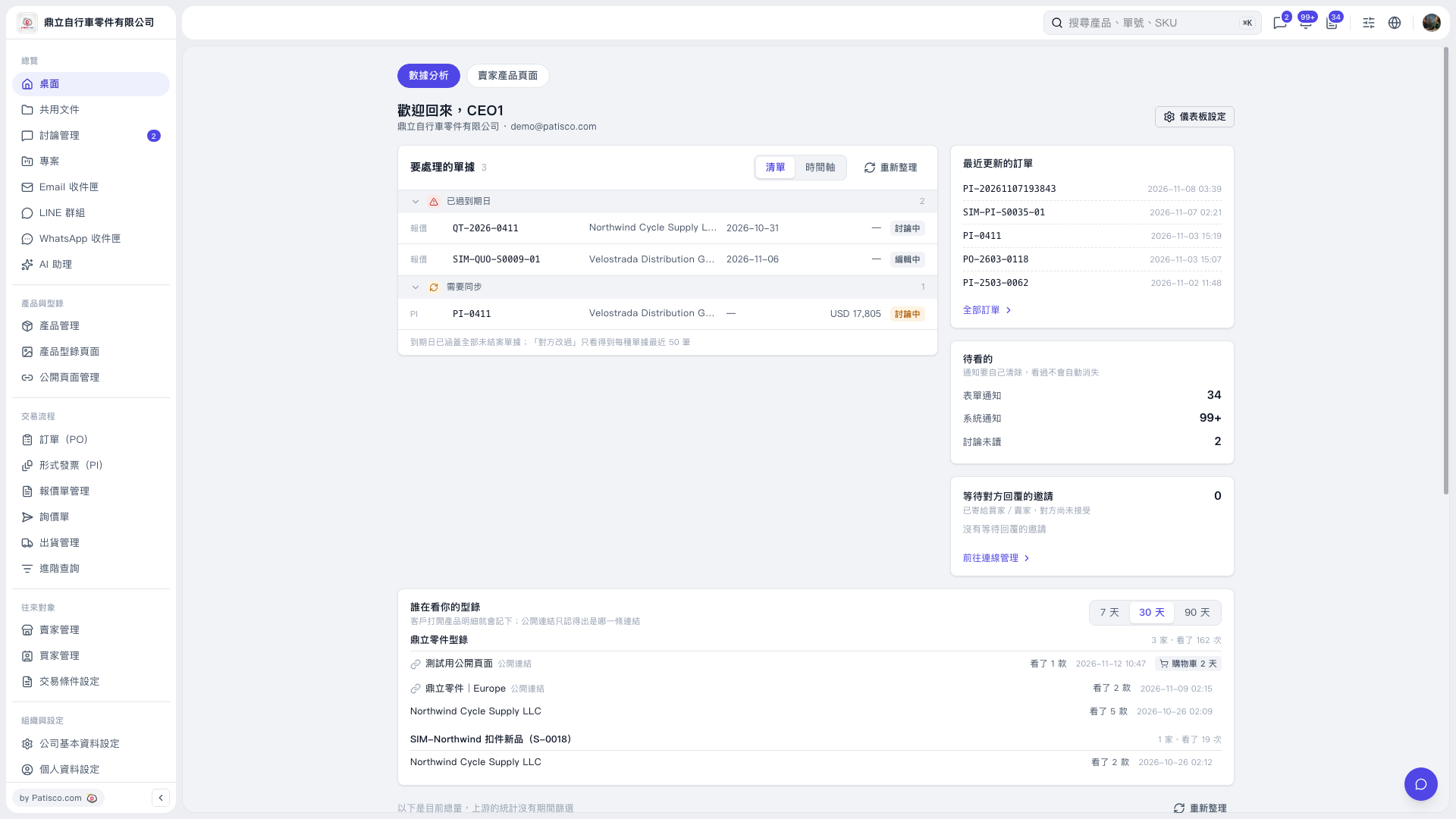 V5 新桌面版|桌面(數據分析)