
1. Select "Desktop" on the left and open the "Data Analytics" tab. 2. Find the "Who Is Viewing Your Catalogs" section below and click "7 Days" or "30 Days" to change the reporting period. 3. Under the relevant catalog, check buyer names, products viewed, and browsing time. For example, "Northwind Cycle Supply LLC" viewed 5 products in the "Dingli Parts Catalog". 4. Click a buyer's name to view related information. The right side of this screen is cut off, so the details displayed after clicking cannot be confirmed.
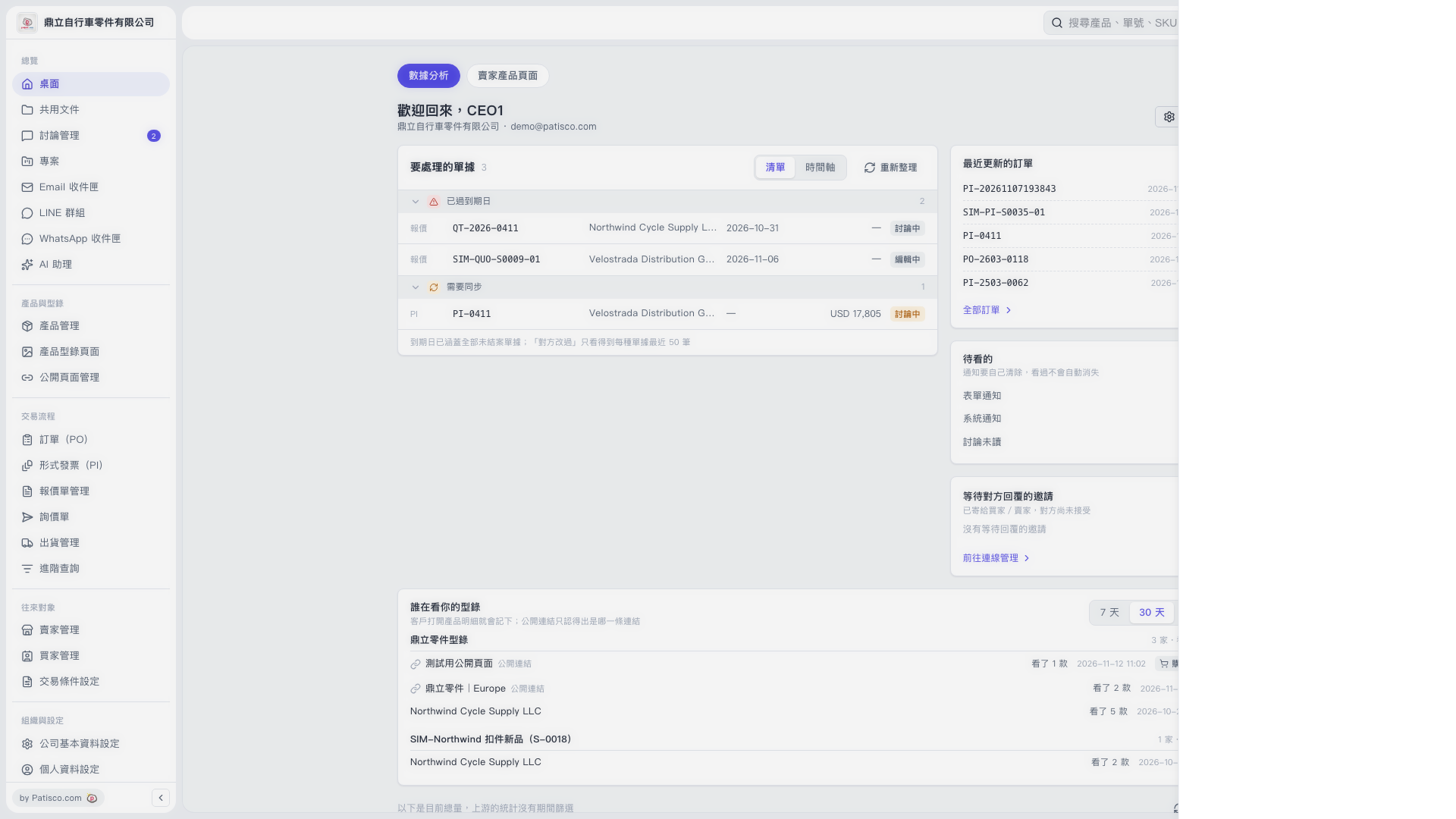 V5 新桌面版|桌面(數據分析)