
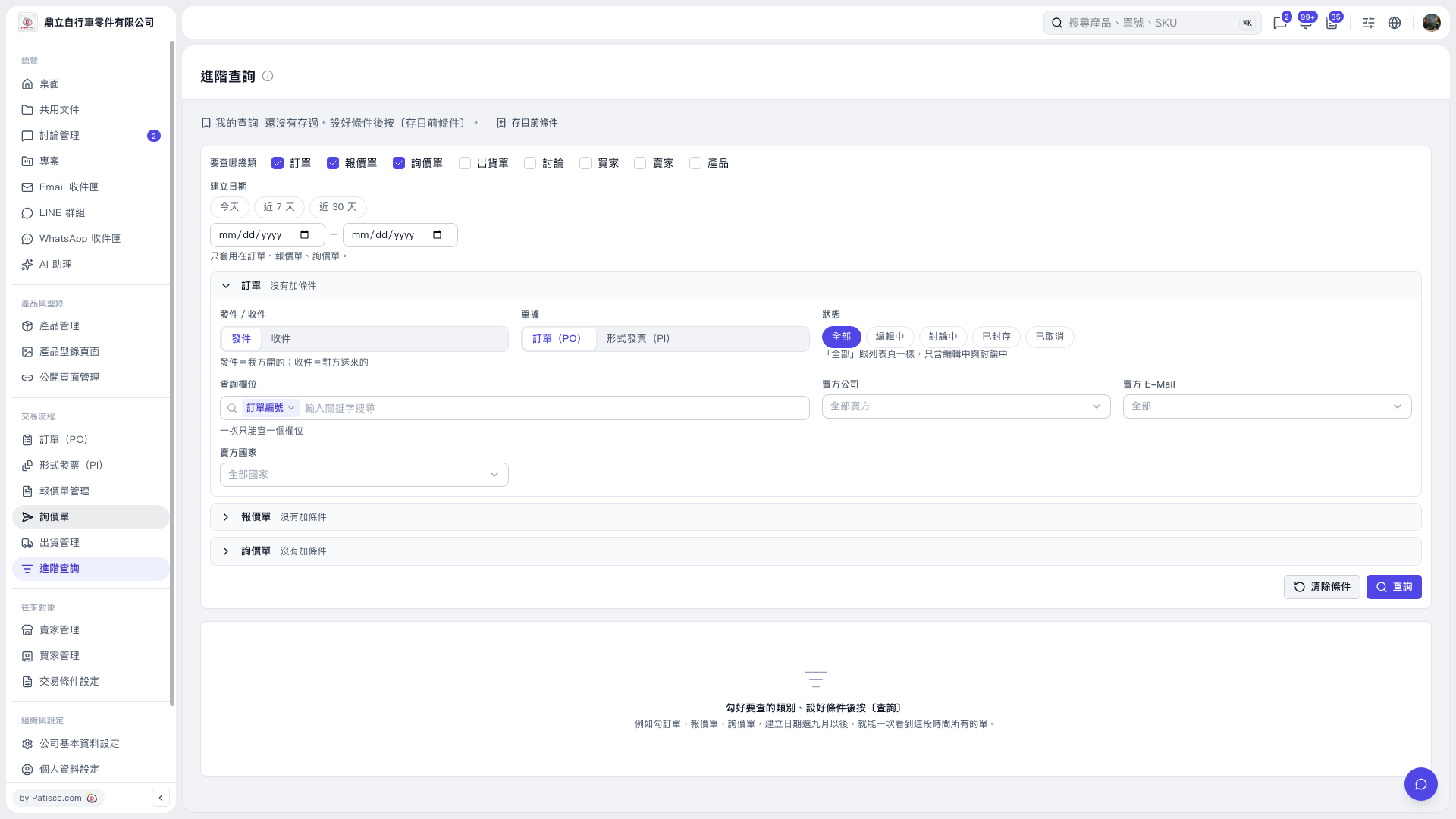
1. On the "Advanced Search" page, select "PO" under "Categories to search". 2. Select "Today", "Last 7 days", or "Last 30 days" as needed, or manually enter the start and end dates for the creation date range. The creation date filter applies only to POs, quotations, and inquiries. 3. Expand "PO" and set sent/received, PO/Proforma Invoice (PI), and status. "All" includes only items being edited or under discussion; it excludes archived or canceled items. 4. To find a specific PO, select "PO number" under "Search field" and enter a "Keyword". You can search only one field at a time. You can also combine this with conditions for the seller's company, email, and country. 5. Click "Search" at the bottom right to view matching records.
 V5 新桌面版|進階查詢