
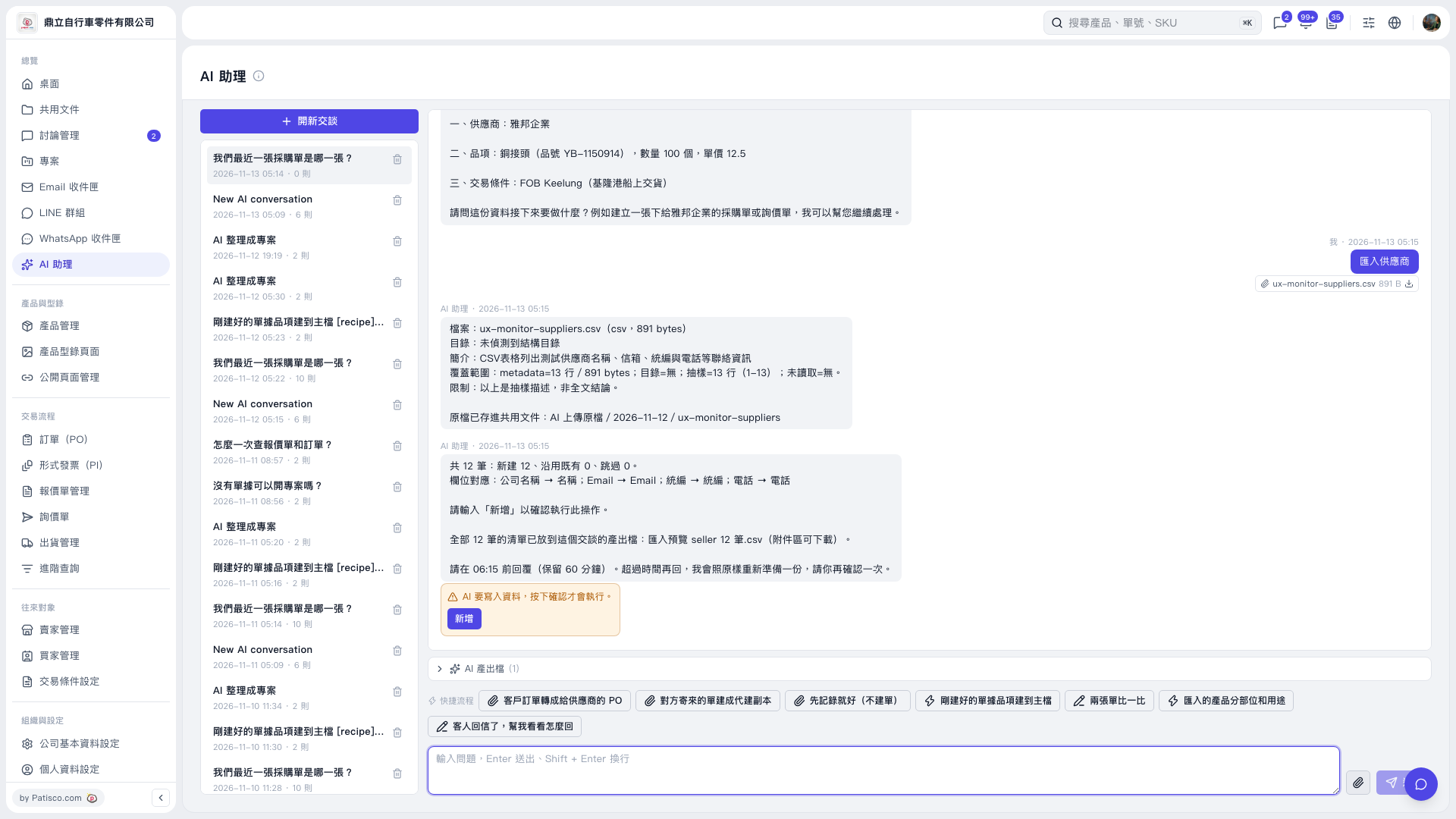
1. Below the conversation area in “AI assistant”, click “AI-generated files (1)” to expand the section and download “Import preview seller 12 records.csv”. 2. Check the preview data: 12 records in total, with 12 new records, 0 existing records reused, and 0 skipped. The field mappings are “Company name → Name”, “Email → Email”, “Tax ID → Tax ID”, and “Phone → Phone”. 3. After checking that the data is correct, click “Add” in the orange confirmation box before the stated deadline, or enter “Add” in the message box and click “Send”. The data will only be written after this confirmation. 4. Wait for the AI to report the result. This prompt requires confirmation before 06:15. If the deadline passes, the AI will prepare the data again and ask you to confirm once more. 5. For example, ask “Import suppliers (12-row CSV)” and attach the CSV using “Attachment”. The AI would reply: “12 records in total: 12 new, 0 existing records reused, and 0 skipped. Enter ‘Add’ to confirm this operation.”
 V5 新桌面版|AI 助理