
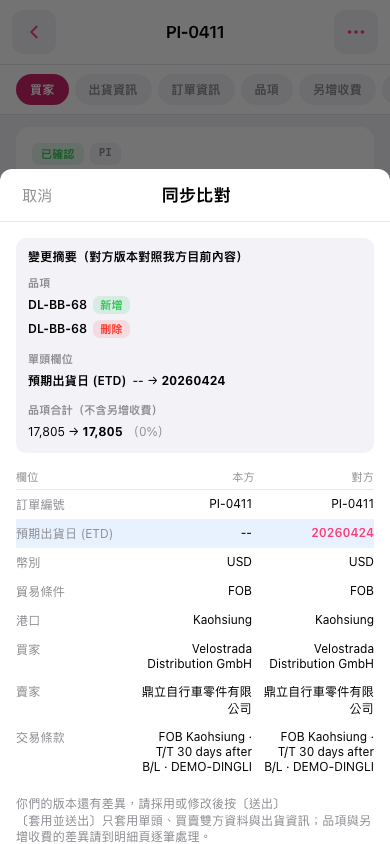
1. First, check the "Change Summary" at the top to review added and deleted items and differences in document header fields. 2. In the comparison table below, compare "Our Side" and "Other Party" row by row. Pay particular attention to the highlighted difference in "Estimated Time of Departure (ETD)". 3. Note the explanation at the bottom: "Apply and Send" only applies document header information, buyer and seller information, and shipping information. Differences in items and additional charges must be handled on the details page. The current screen does not show a send action button. 4. To return to the PO page, tap "Cancel" in the upper-left corner of the window.
 手機版|同步比對