
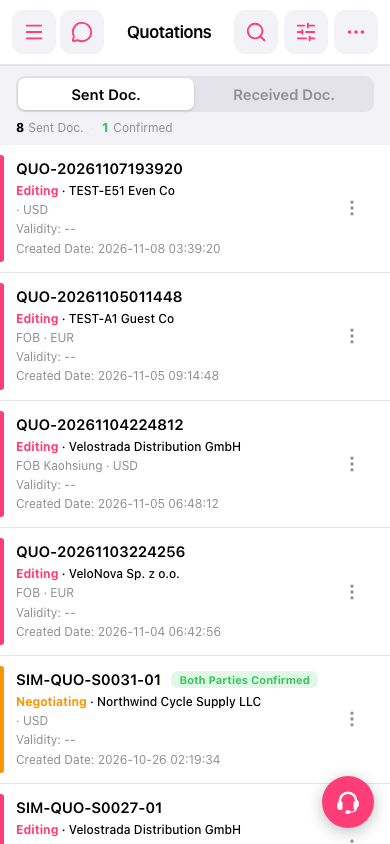
1. On the "Quotation" page, first select the "Sent Doc." or "Received Doc." tab. 2. Tap "Search" (magnifying glass icon) in the upper-right corner to search for a quotation, or tap "Filter" (sliders icon) to open the list filtering options. 3. Once you find the quotation, tap it to view its contents. For other actions, tap "More actions" (vertical three-dot icon) on the right side of that quotation to view the available options.
 手機版|報價單(Quotations)