
1. Tap "Enter Message" at the bottom of the topic page and enter the content you want to send. 2. To attach a file, tap "Attachments" (the paperclip icon) in the lower-left corner. The current screen does not show the subsequent attachment options, so the file selection method cannot be confirmed. 3. After entering your text, tap "Send" (the paper airplane icon) in the lower-right corner to send the message.
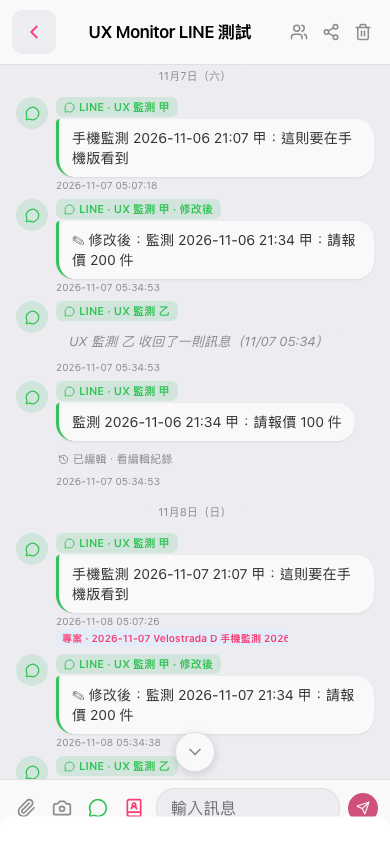 手機版|UX Monitor LINE 測試