
1. Tap "Search" (magnifying glass icon) in the upper-right corner to search for a PO, or tap "Filter" (sliders icon) to open the filter criteria. 2. Check the PO number, company name, and document status in the list to confirm that it is the document you are looking for. 3. Tap the PO card to view its details.
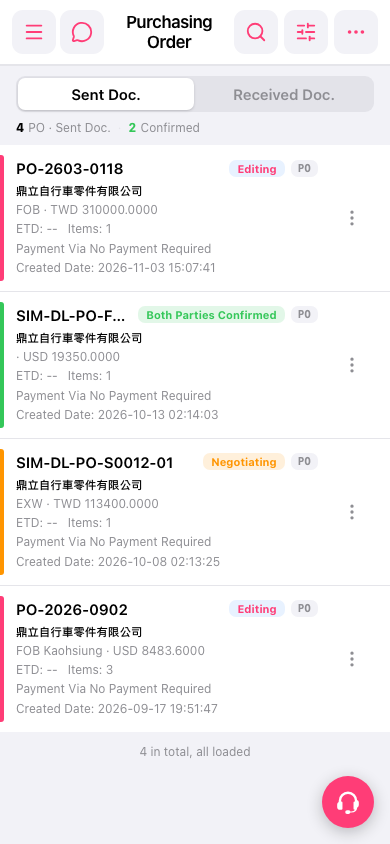 手機版|採購單(Purchasing Order)