
1. On the Proforma Invoice details page, click “Edit” in the upper-right corner to edit the buyer information, shipping information, or general PO information. 2. Go to “Item List (3)” and click “Add Items” to add products, or “Create Item” to create new item information. 3. Follow the table prompts and double-click an editable field to modify its contents. Press Enter to save or Esc to cancel. 4. Check the unit price, quantity, and subtotal of each item. If needed, click “Compare Changes” in the upper-right corner to review the changes.
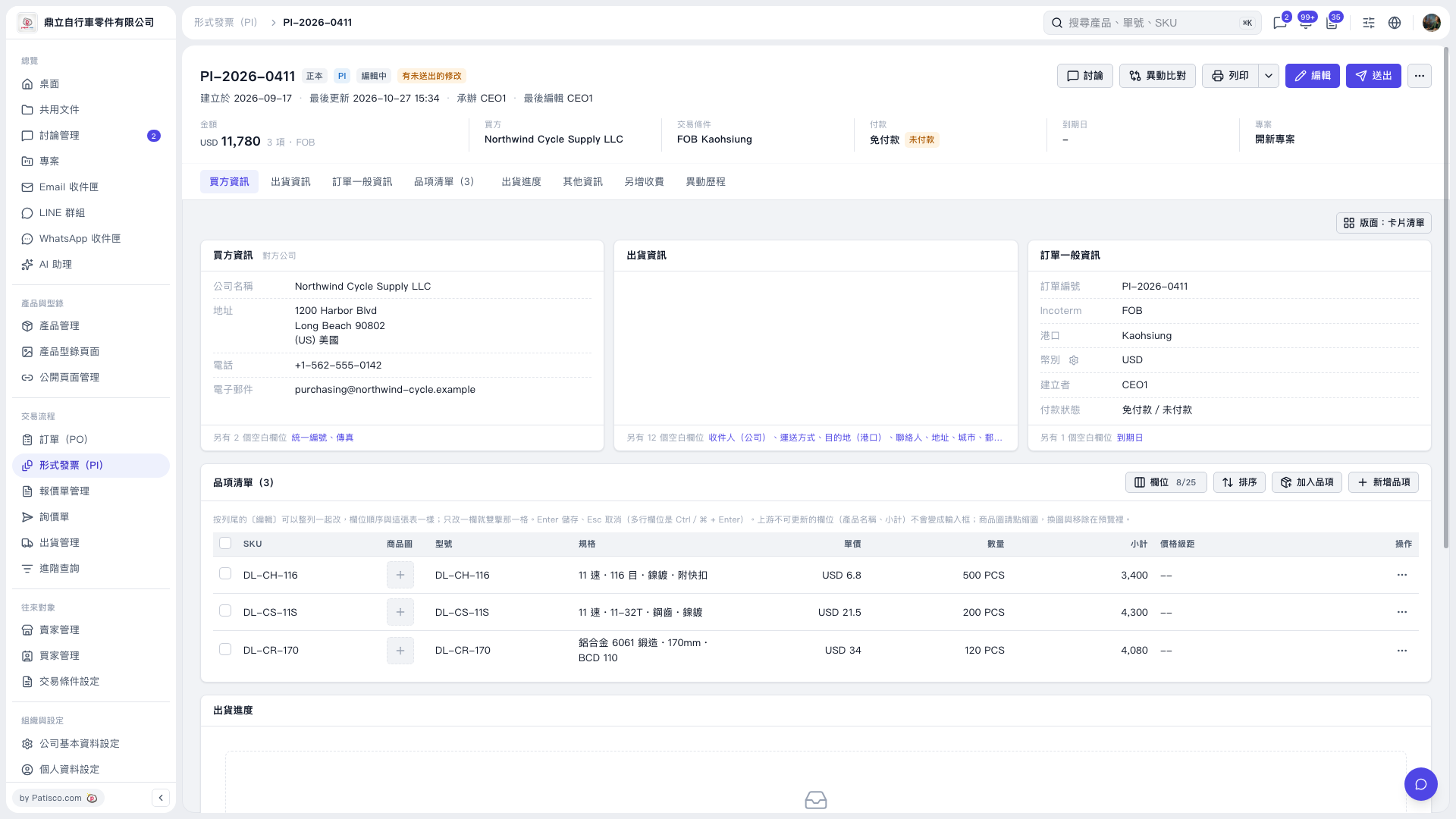 V5 新桌面版|形式發票 PI-2026-0411