
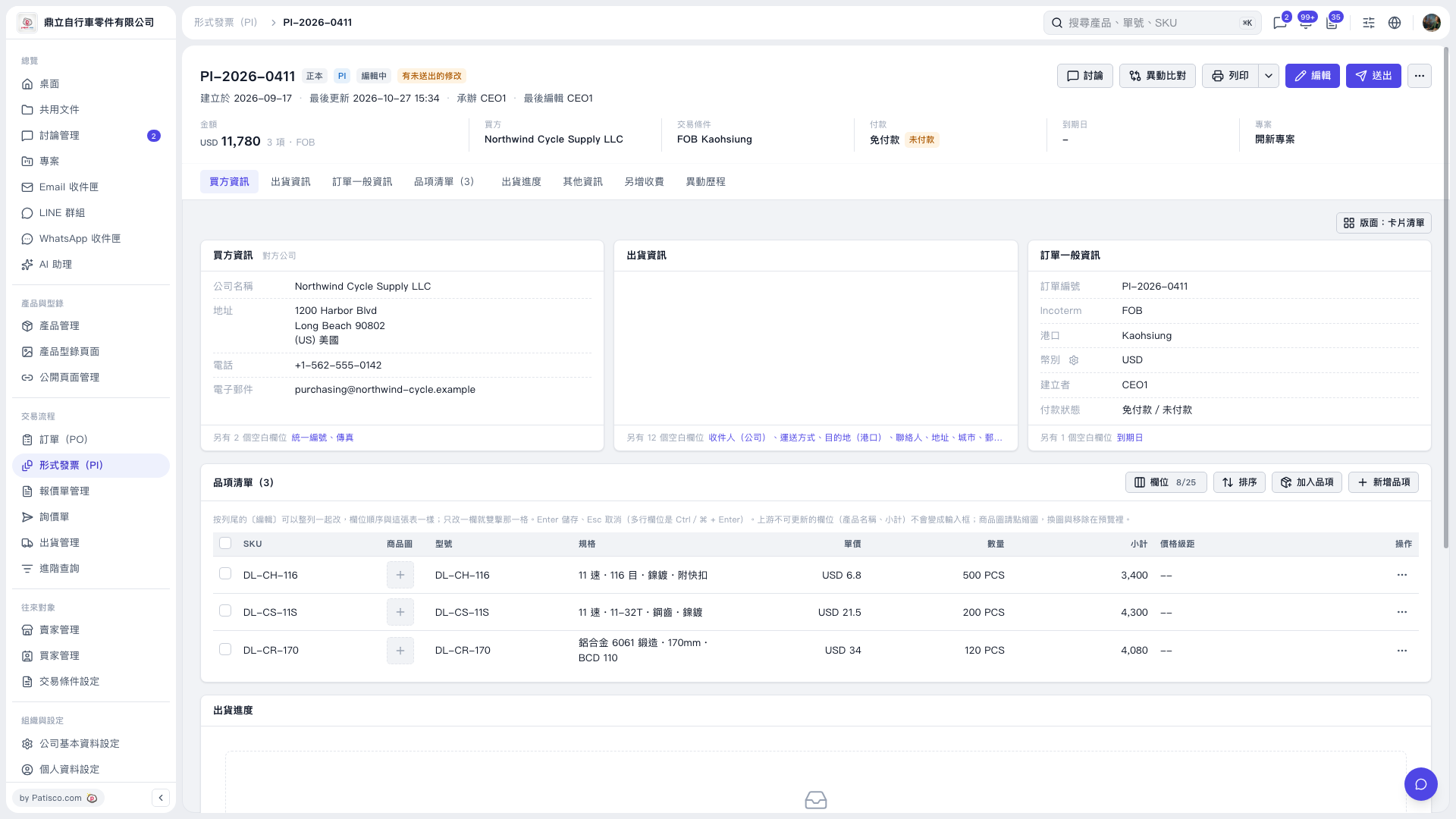
1. Open the Proforma Invoice, confirm that its number is “PI-2026-0411,” and verify the buyer and amount. 2. Check the “Payment” summary at the top of the page and “Payment Status” under “General PO Information.” They currently show “No payment required / Unpaid.” 3. To edit payment-related information, click “Edit” in the upper-right corner, then review the payment fields available on the edit screen. 4. The current screen does not show a payment recording entry point or form, so the subsequent steps for recording and saving a payment cannot yet be confirmed.
 V5 新桌面版|形式發票(PI)- PI-2026-0411