
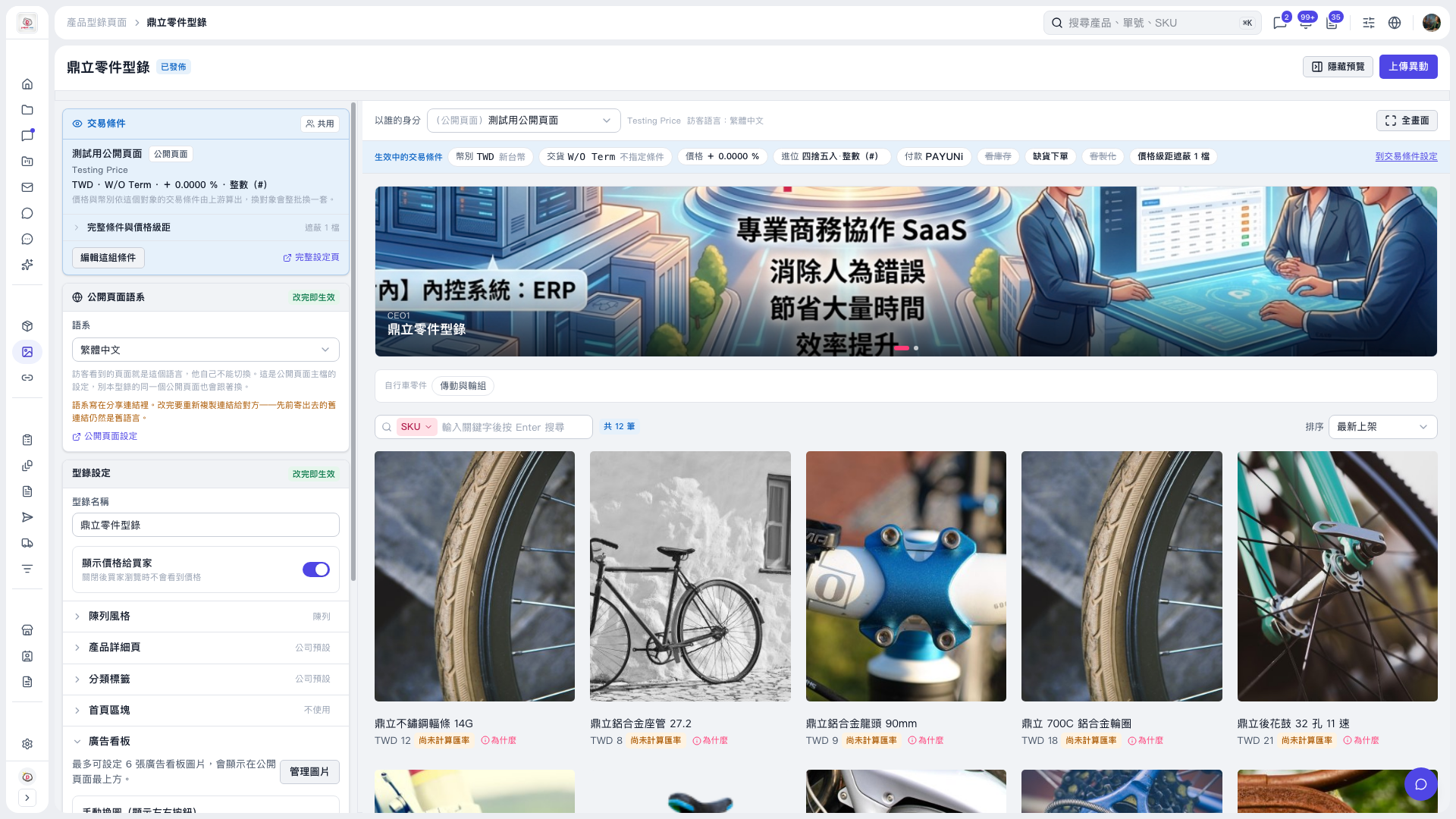
1. Expand “Banner” on the left side of the catalog settings page. 2. Click “Manage Images” to open image management. You can set up to 6 images, which will appear at the top of the public page. 3. After adjusting the images, check the top of the preview on the right to confirm how the banner looks. 4. If there are changes pending upload, click “Upload Changes” in the upper-right corner.
 V5 新桌面版|鼎立零件型錄