
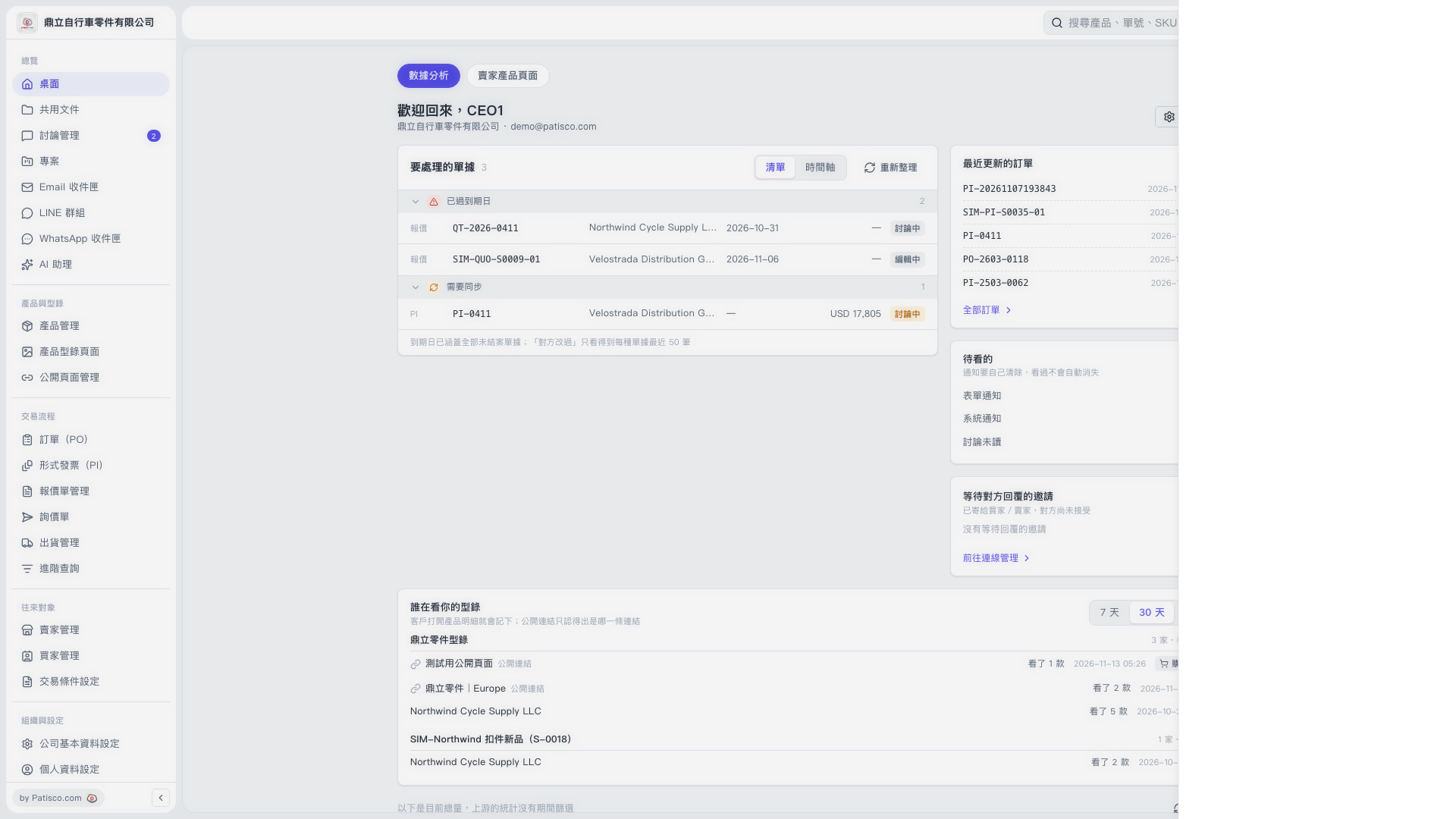
1. Select "Desktop" in the left sidebar and view "Analytics". 2. Scroll down to "Who is viewing your catalogs" and click "7 days" or "30 days" in the upper right to switch the reporting period; "30 days" is currently selected. 3. Find the public link or customer under "Catalog name", then check "Product models viewed" and "Viewing time". 4. The record viewed this time showed "Cart: 2 days". The cart contained 1 item: DL-SP-14, quantity 1000.
 V5 新桌面版|桌面|數據分析