
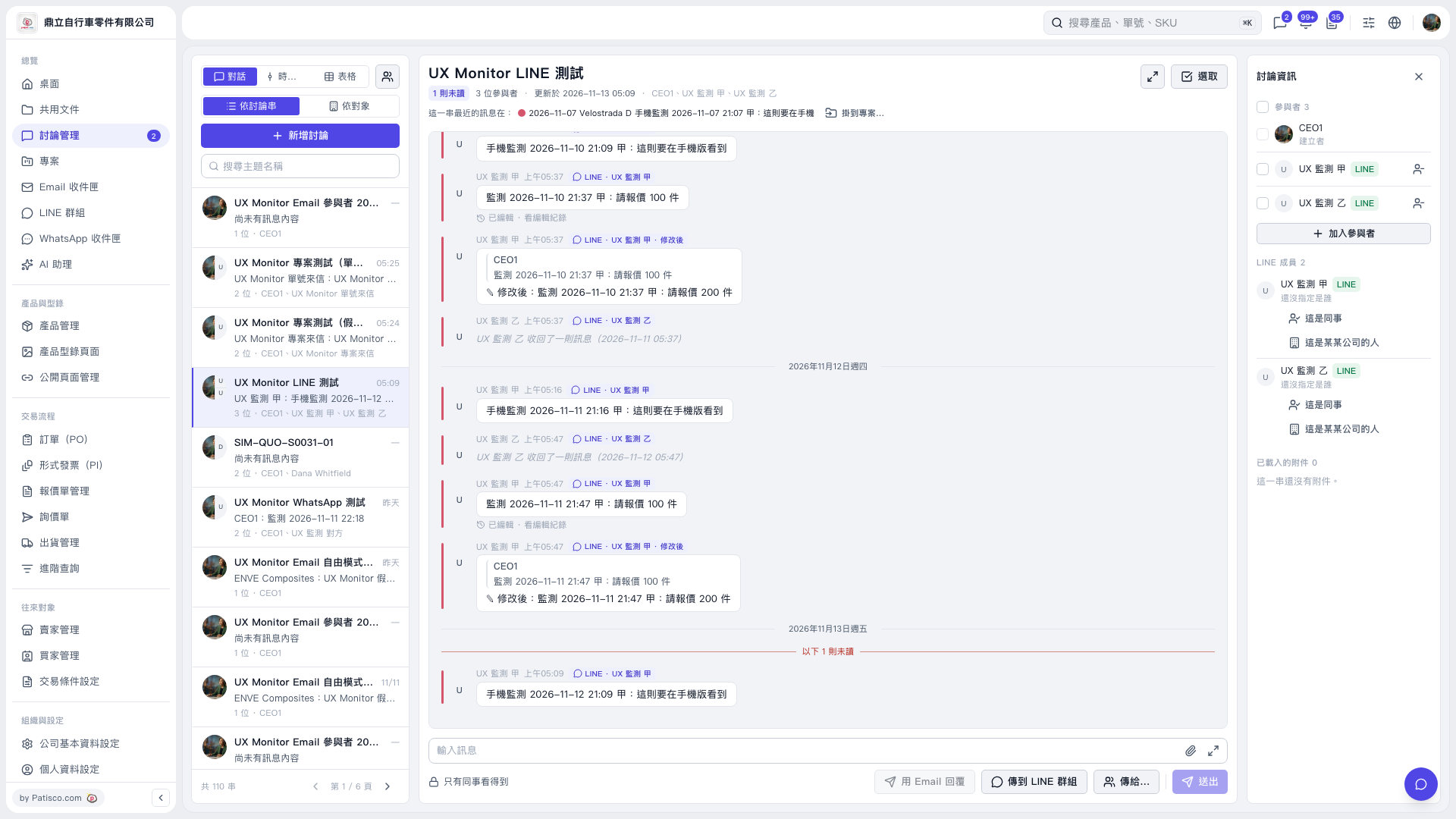
1. Select a discussion thread from the discussion list on the left. You can also find it using "Search Topic Name". 2. Under "Discussion Information" on the right, check "LINE Members" and find the member shown as "Identity not assigned yet". 3. Based on who the member actually is, click "This is a colleague" or "This is someone from a company" below that member to assign their identity.
 V5 新桌面版|UX Monitor LINE 測試