
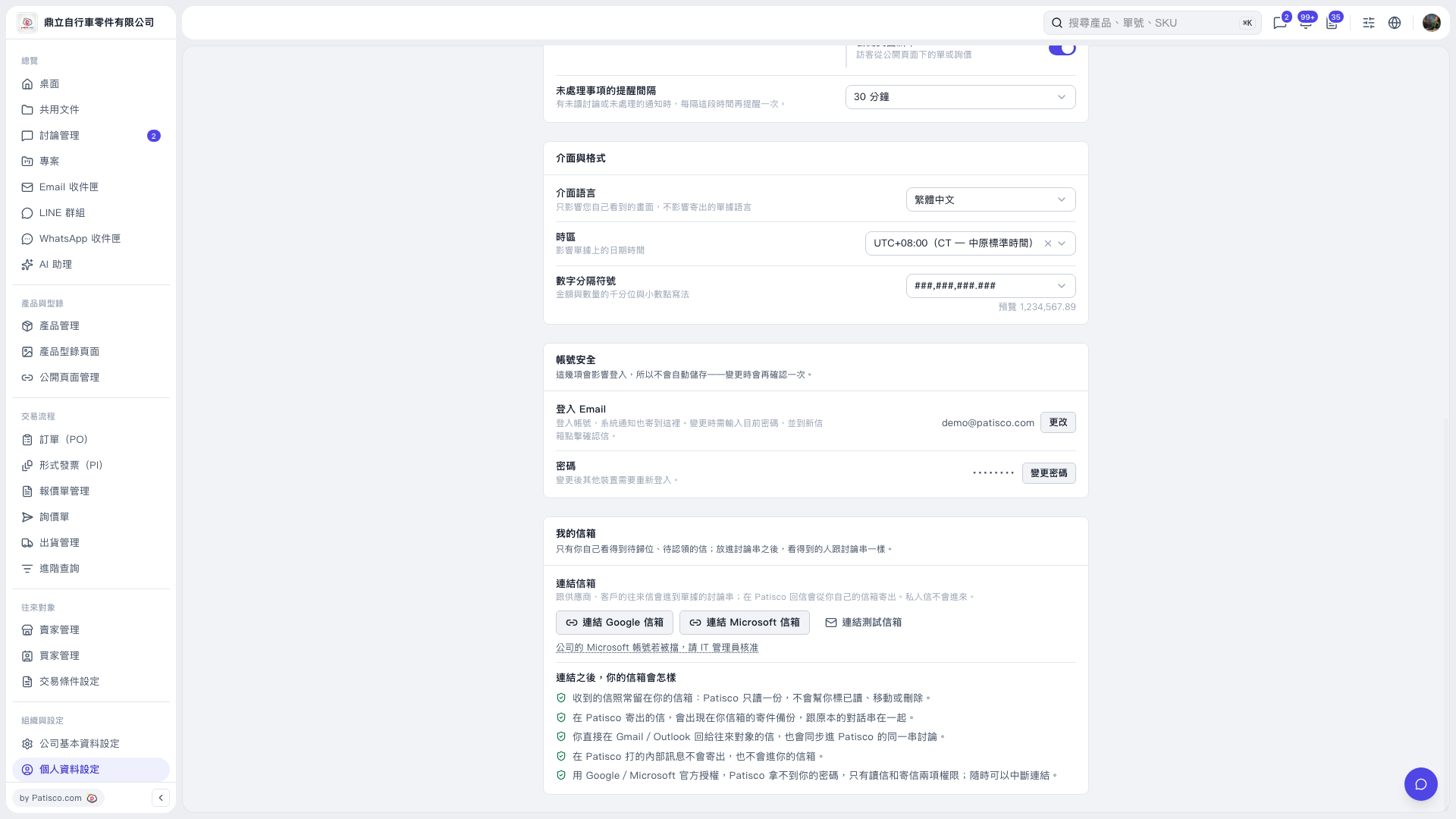
1. In the "My Mailbox" section of the "Personal Settings" page, click "Connect Microsoft Mailbox". 2. Follow the Microsoft sign-in and authorization prompts that appear next to complete the connection. The authorization dialog is not yet displayed on the current screen. 3. If the connection for your company account is blocked, click "If Your Company's Microsoft Account Is Blocked, Ask Your IT Administrator to Approve It" below the mailbox connection button to view the relevant information, and ask your IT administrator to help approve it.
 V5 新桌面版|個人資料設定