
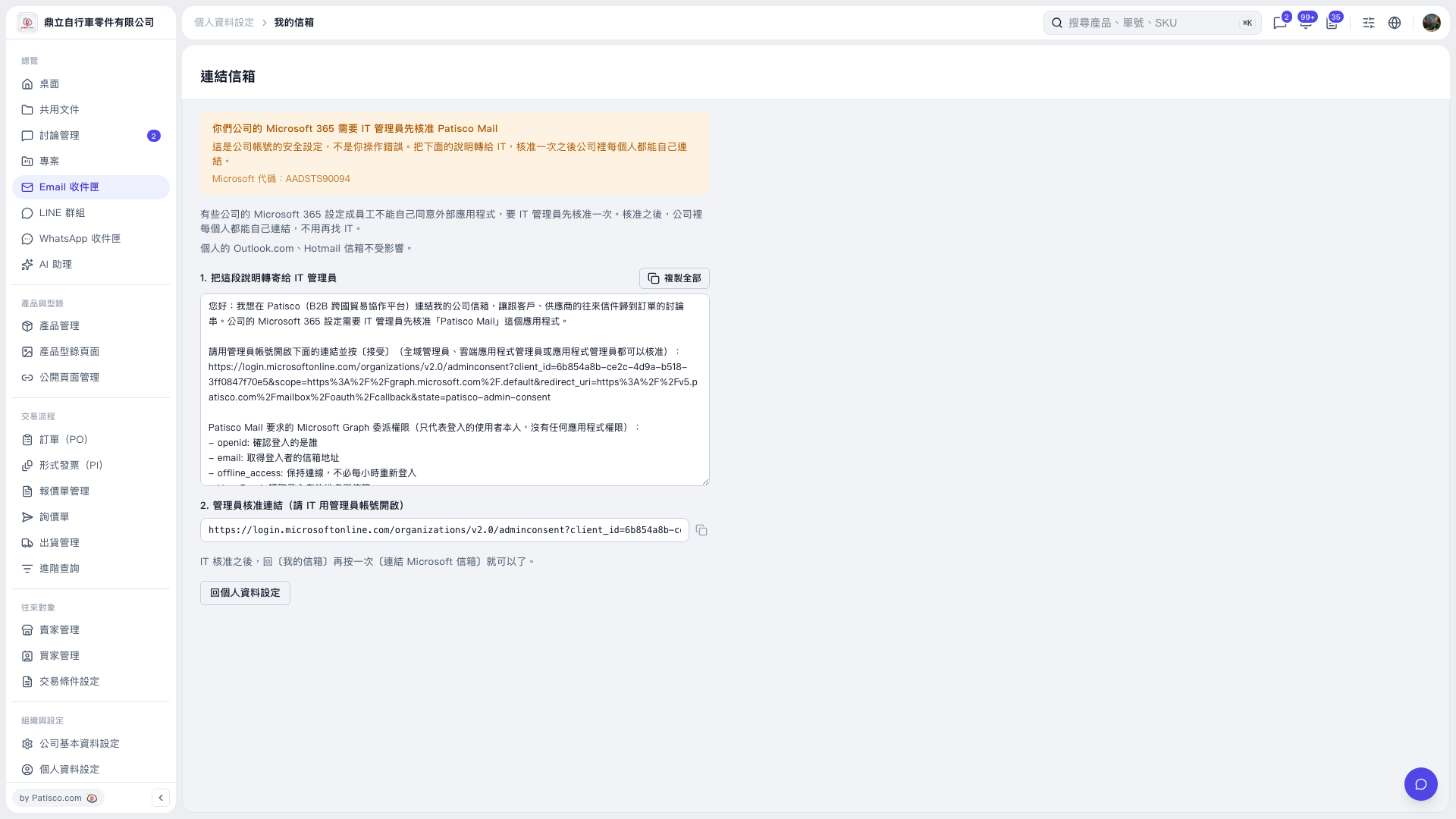
1. On the "Connect Mailbox" page, click "Copy All" and forward the full instructions to your company's IT administrator. To copy only the approval link, click the copy icon to the right of the administrator approval link field. 2. Ask your IT administrator to open the approval link in the instructions using an administrator account and click "Accept" to complete approval. A Global Administrator, Cloud Application Administrator, or Application Administrator can approve it. 3. After approval, click "Back to Personal Settings" to return to "My Mailbox". 4. Click "Connect Microsoft Mailbox" again to restart the mailbox connection process.
 V5 新桌面版|連結信箱