
1. On the "External Connections (MCP)" page, switch to "Catalog Access" and find the public page you want to make available. 2. To restrict access, enter service names in the "Only Allow These Partner Services" field, separated by commas. Leaving it blank allows any service with the key to access the page. 3. For a page that is not yet available to external services, click "Enable Access for External Services". For a disabled catalog, click "Re-enable".
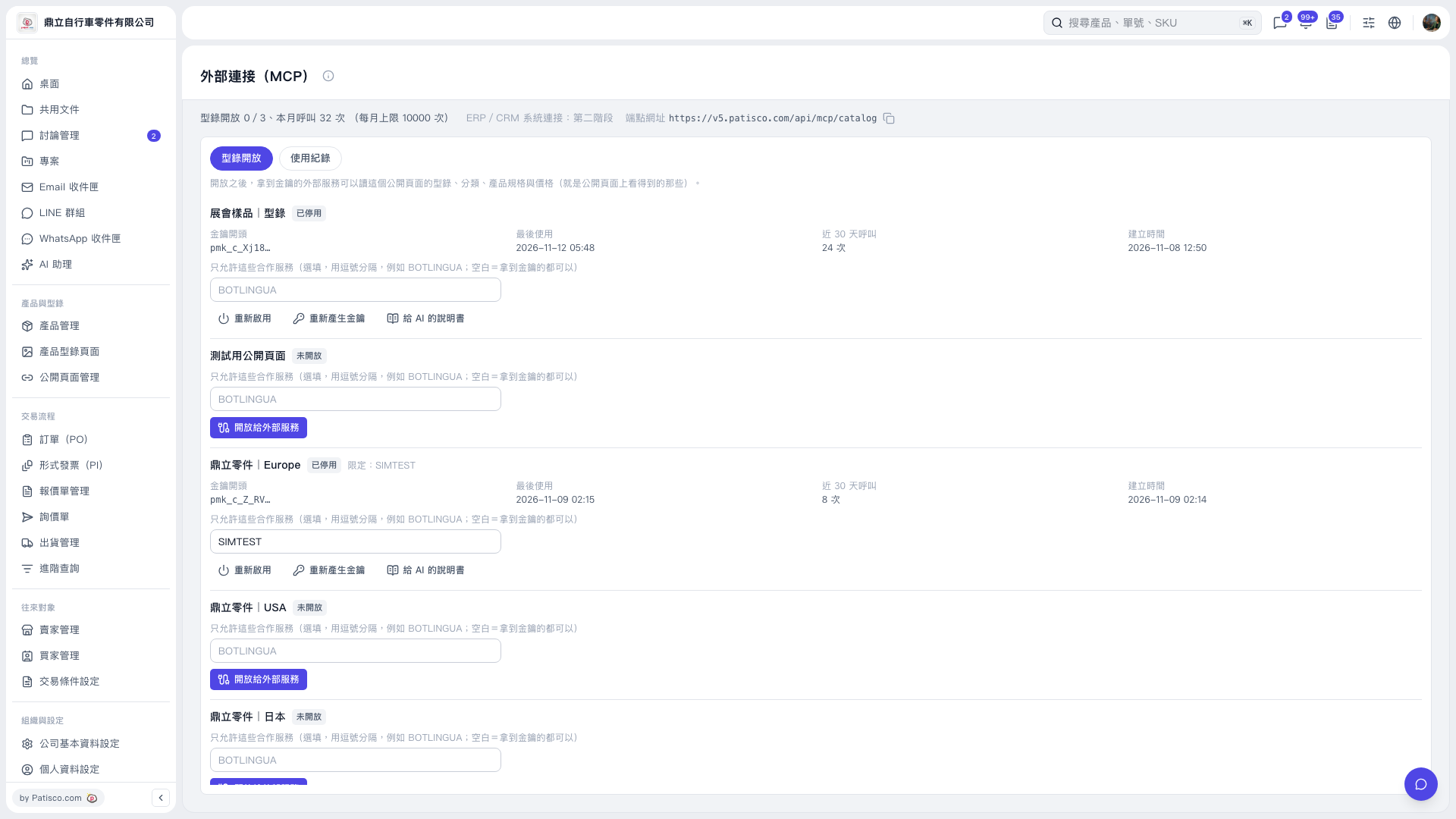 V5 新桌面版|外部連接(MCP)