
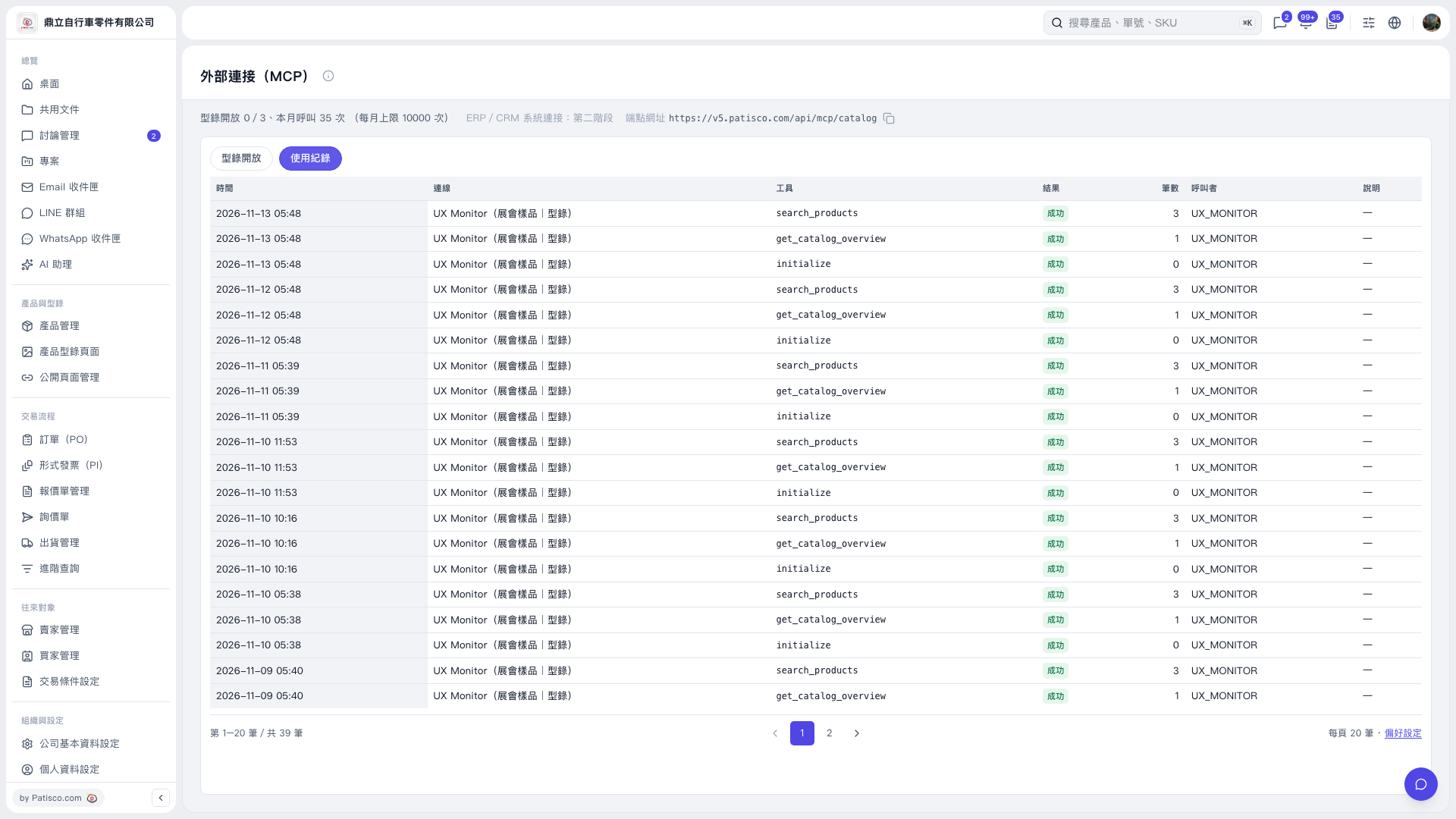
1. On the "External Connections (MCP)" page, click the "Usage Logs" tab. 2. Review "Time", "Connection", "Tool", "Result", "Record Count", "Caller", and "Description" in the list. 3. To view logs on other pages, click a page number below the list or use "Previous Page" and "Next Page". 4. To adjust the list display preferences, click "Preferences" at the bottom right of the list.
 V5 新桌面版|外部連接(MCP)