
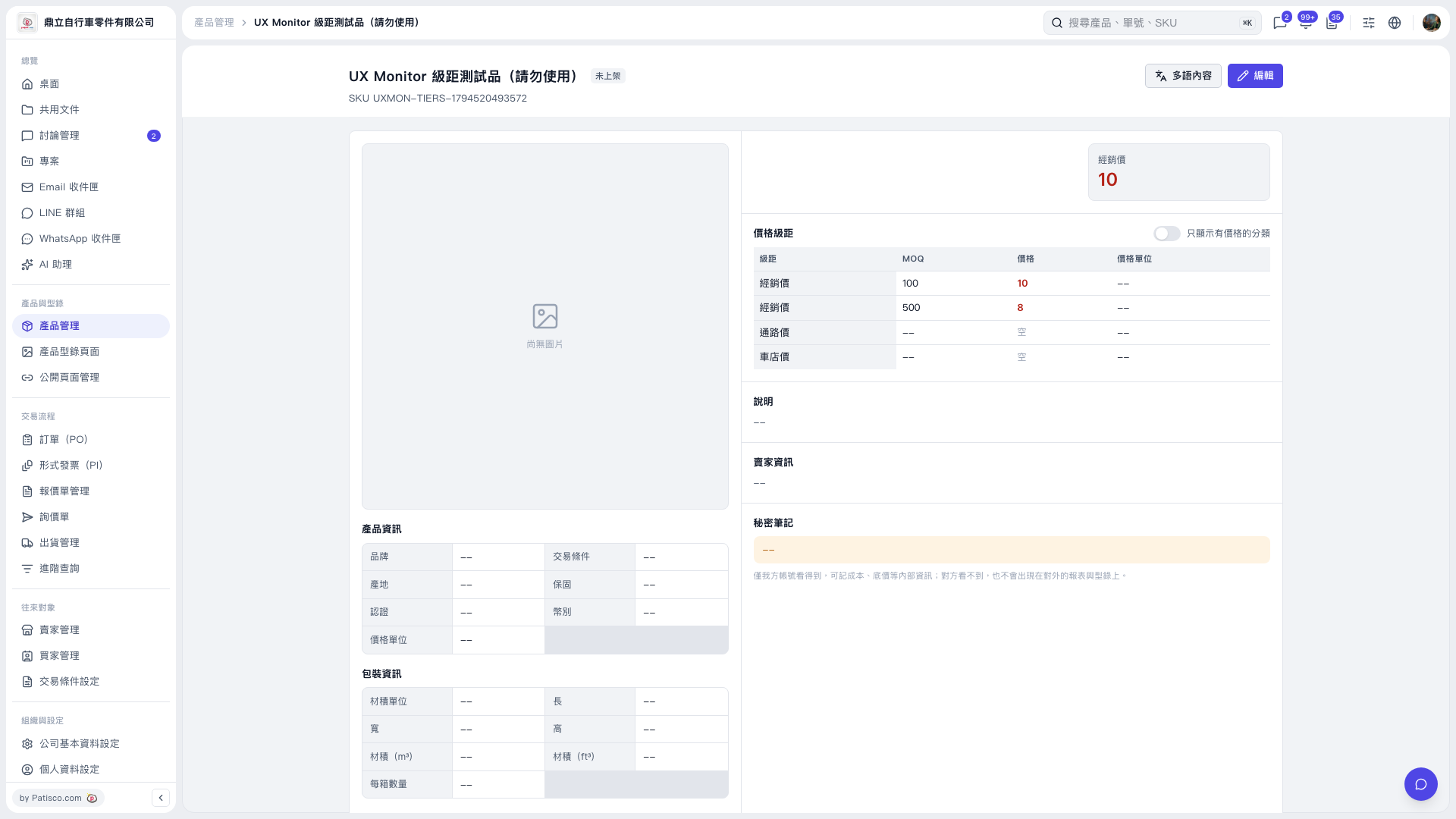
1. In the "Price tiers" table on the product details page, check the "MOQ", "Price", and "Price unit" for each category. The same category may have multiple tiers. For example, in the current screen, the "Distributor price" has two rows: MOQ 100 with price 10, and MOQ 500 with price 8. 2. If you want to see only categories with prices set, open "Show only categories with prices" in the top right corner of the table.
 V5 新桌面版|UX Monitor 級距測試品(請勿使用)