
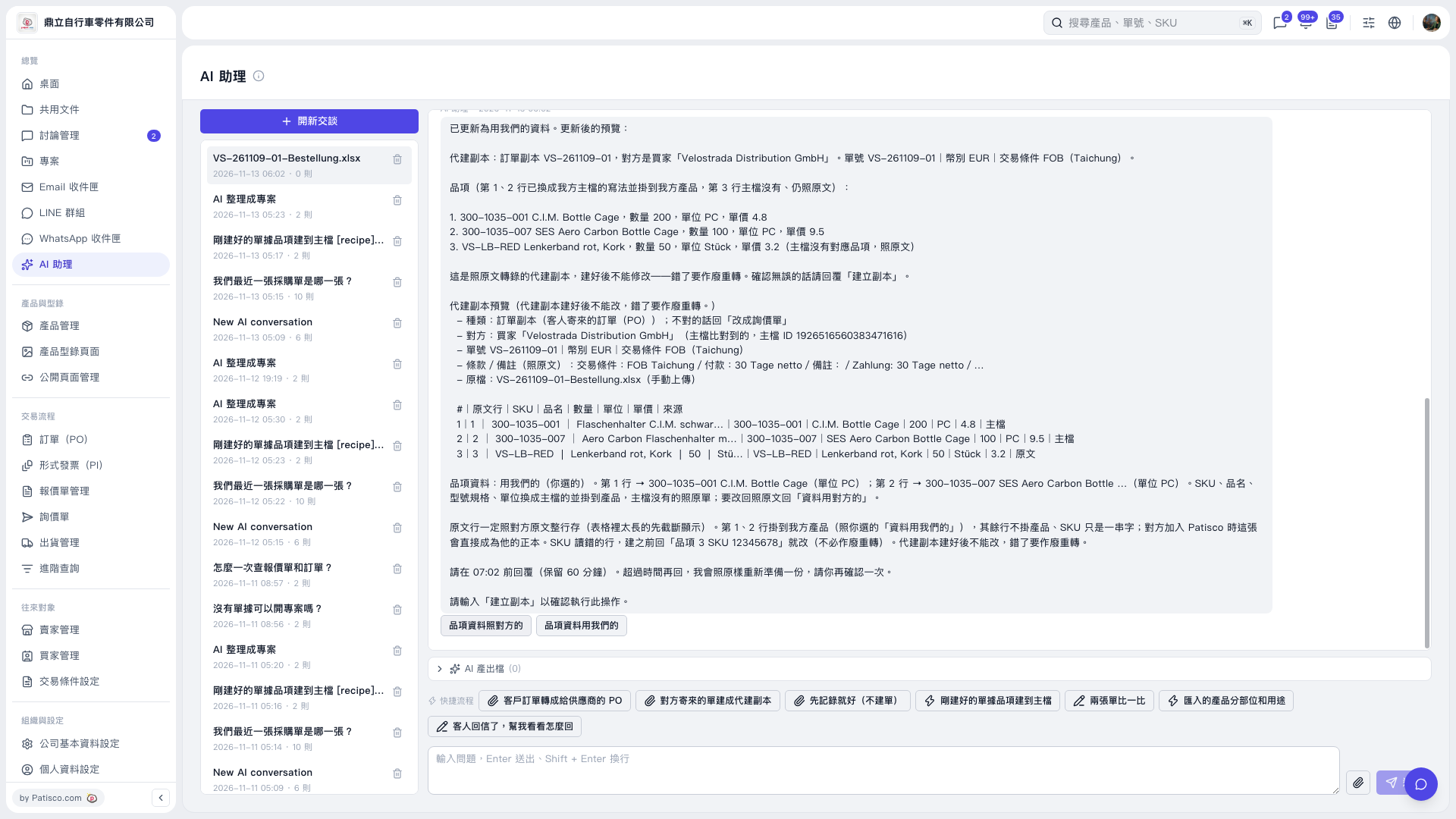
1. Verify the document and item data in the preview again; if SKU is incorrect, you can enter the item number and correct SKU in the "Message input box", press the "Paper plane icon" to submit, and check the updated preview. 2. After confirming there are no errors, enter "Create copy" in the "Message input box", press Enter or the "Paper plane icon" to submit. The page will indicate that it cannot be modified after creation, and any data errors require voiding and re-transcribing. 3. Follow the confirmation deadline shown on the page; this time the page requires confirmation by 07:02, and if you exceed the deadline, you need to ask AI to prepare the preview again before confirming. 4. This operation only verifies the preview update; the copy has not been formally created yet.
 V5 新桌面版|AI 助理