
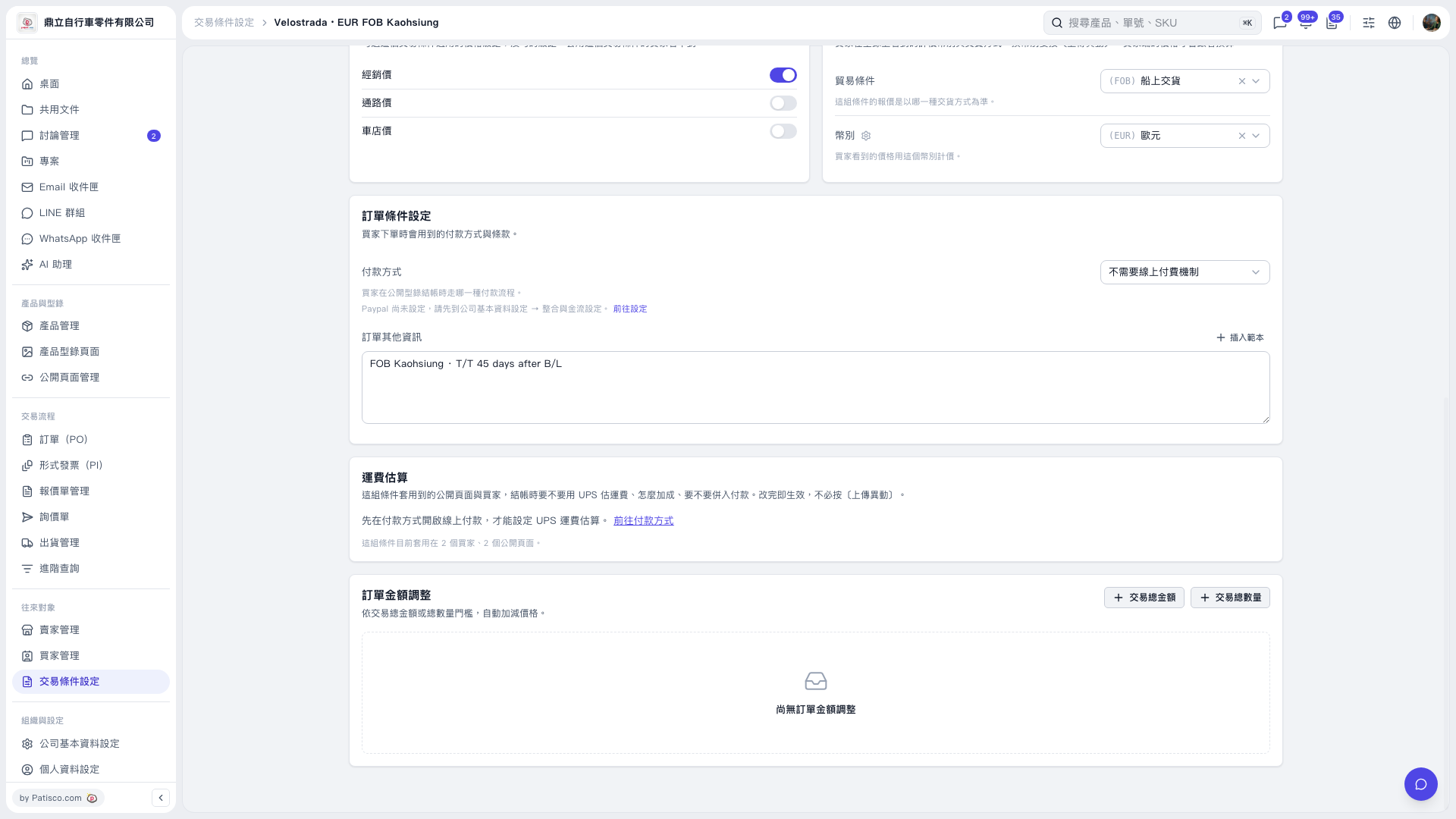
1. In 'Trading Condition Setting', check the 'Payment Method'. Currently it shows 'No online payment mechanism required'. You need to enable online payment first to set up UPS shipping rate estimation. 2. Click 'Go to Payment Method' in the 'Shipping Rate Estimation' section to access the payment method settings and enable online payment. 3. If you want to use PayPal, click 'Go to Settings' next to the PayPal instruction text to complete integration and payment gateway setup. 4. After enabling online payment, set up UPS shipping rate estimation. Changes here take effect immediately and do not require clicking 'Upload Changes'.
 V5 新桌面版|Velostrada · EUR FOB Kaohsiung