
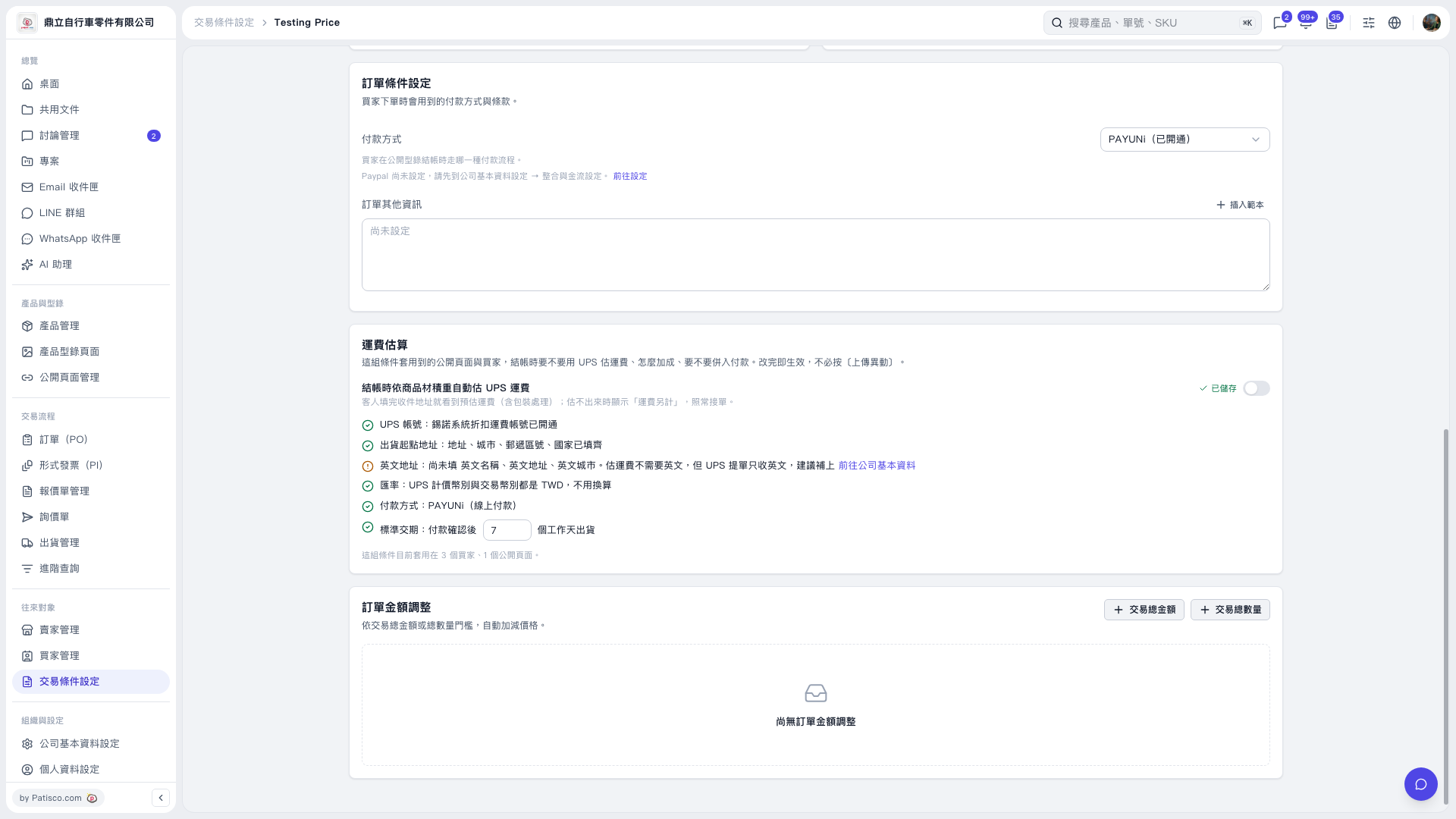
1. In Trading Condition 'Testing Price', under the 'Shipping Rate Estimation' section, confirm that 'UPS Account' is activated and 'Shipping Origin Address' is complete. 2. If there is a prompt that English details are not yet filled in, click 'Go to Company Information' to add English company name, English address, and English city. 3. Confirm the UPS pricing currency, transaction currency, and 'Payment Method'. In 'Standard Lead Time: Business days after payment confirmation for shipment', enter the number of days needed for shipment, currently set to 7 days. 4. Turn on the toggle for 'Automatically estimate UPS shipping rate based on product volume and weight at checkout' and confirm the save status. 5. Once enabled, when buyers fill in the delivery address at checkout on the public page, they will see the estimated shipping fee including packaging handling. If estimation is not possible, it will display 'Shipping cost to be determined'.
 V5 新桌面版|Testing Price